


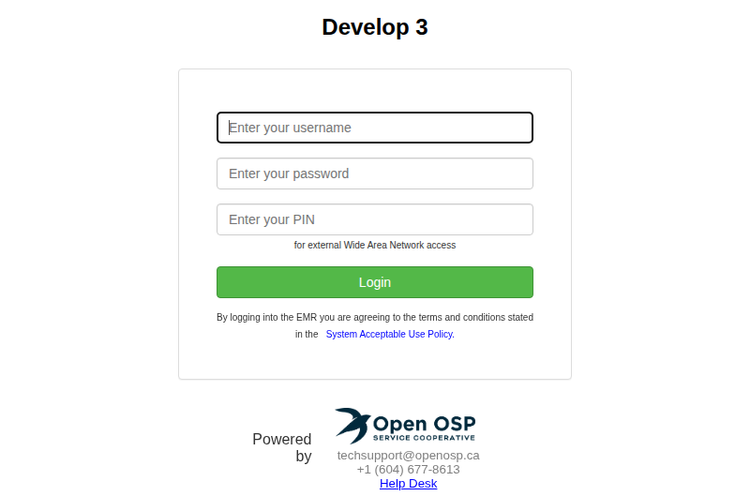
Oscar EMR doesn’t have a single universal login page — the correct URL depends on which Oscar-based system your clinic uses (Juno, OSCAR Pro, Avaros, or OpenOSP). Use the links below to find yours.
Please choose your Oscar provider and log in below:
- For Juno Log In Here
- For Avaros Users Log In Here
If you use OscarPro each clinic has their own login page:
- Ask your Oscar Pro Helpdesk for the URL
- Bookmark it for next time!
If you use OpenOSP:
- Ask your OpenOSP Helpdesk for the URL
- And bookmark it for next time.
OSCAR Pro Login
OSCAR Pro is the WELL-Health-backed commercial variant of OSCAR, and the largest commercial OSCAR variant by clinic count in Canada. It does not have a single shared login URL — each OSCAR Pro clinic gets its own login page issued by the OSCAR Pro helpdesk.
If you are a new staff member at an OSCAR Pro clinic:
- Ask your clinic manager or contact the OSCAR Pro helpdesk for your clinic’s specific OSCAR Pro login URL.
- Bookmark it — the URL will not change day-to-day.
- Be ready for PIN + two-factor authentication on top of your username and password. Most OSCAR Pro clinics enable an authenticator-app code as a second factor.
For the wider variant landscape and how OSCAR Pro fits alongside Juno, Avaros, OpenOSP and self-hosted OSCAR, see our OSCAR Pro guide and the OSCAR EMR complete guide.
Logging in to OSCAR — what to expect
Across all OSCAR variants, login typically asks for more than a username and password. The OSCAR open-source core requires a short numeric PIN alongside the password, and most hosted variants (OSCAR Pro especially) layer on two-factor authentication via an authenticator app. On your first login you may be asked to set up a PIN or scan a QR code — this is normal; check with your administrator about your clinic’s specific setup.
A few good habits: never share your login (every action in OSCAR is tied to a user for audit reasons), log out or lock your screen when you step away, and use a password manager rather than re-typing.
When login goes wrong
Most login problems on OSCAR are one of three things — a forgotten password, a locked or forgotten PIN, or a lost authenticator-app device for two-factor authentication. None of these are unusual, and each variant has a defined recovery path; the bigger predictor of how quickly you get back in is which OSCAR you are on.
Forgotten password. Juno and Avaros both offer a self-serve password reset from their public login pages. OSCAR Pro and OpenOSP clinics generally route password resets through their respective helpdesks, because each clinic instance is managed centrally. Have a colleague or your clinic manager open the ticket if your email is also tied to the locked account.
Locked or forgotten PIN. The numeric PIN sits alongside the password on OSCAR’s open-source core and on most hosted variants. A clinic administrator inside OSCAR can reset another user’s PIN; if no one at the clinic has admin access, the request escalates to the service provider’s helpdesk.
Lost authenticator / 2FA device. This is the most common cause of a slow recovery. If your phone is reset, replaced, or lost and you did not save your TOTP recovery codes, you cannot generate the second factor yourself. Every variant requires a verified identity-check before re-enrolling a new device: Juno through its support team, Avaros through its provider contact, OSCAR Pro through the OSCAR Pro helpdesk, and OpenOSP through the OpenOSP helpdesk. Plan for one to two business days on hosted variants, and save the TOTP recovery codes the next time you set up an authenticator — they are the difference between a same-day fix and a multi-day one.
Helpdesk by variant. OSCAR Pro: [email protected]. OpenOSP: [email protected]. Juno: their support portal from the Juno login page. Avaros: through your clinic’s Avaros contact.
Related OSCAR EMR Resources
- OSCAR EMR — the complete guide
- OSCAR Pro — the WELL-branded commercial variant
- OSCAR EMR Training: 7 Best Resources
- How to Choose an EMR in Canada
- Cortico EMR compatibility guide (help.cortico.ca)
Running Juno instead? See the Juno EMR login guide.
Want to cut down repetitive admin work in your OSCAR EMR clinic? See how Cortico for clinics works. Cortico’s OSCAR plug-in runs in the browser alongside OSCAR and automates common in-EMR tasks. The honest trade-off: Cortico is a separate vendor on top of OSCAR — for most clinics a smaller commitment than changing EMRs, but a relationship to manage, not free magic.
For pricing context beyond sign-in, see $what OSCAR EMR actually costs.
For what Cortico adds around OSCAR, see $Cortico’s OSCAR integration.
