


A completed form is ready for the patient, but the invoice is still on someone’s desk. A week later, another staff member phones to ask whether it was paid. The clinic has done the work; collecting the payment has become a second task.
A clear medical invoice template helps the patient understand the charge. A reliable workflow makes sure the invoice reaches them and that staff can see what happened next.
Cortico generates an invoice from the service and billing information entered in the product. The clinic still decides which services it can bill and which charges apply.
Use the invoice generated by Cortico
The product’s invoice template contains an invoice number, creation date, clinic details, patient details and a breakdown of charges. Staff create and manage the invoice through the payment workflow, rather than filling out a separate Word document.
Check the service, price and patient details before delivery. Use your clinic’s established process for billing questions and corrections.
An invoice is not an insurance claim form or a guarantee of reimbursement. If the patient needs documentation for another payer, confirm that payer’s requirements separately.
Download a sample generated by Cortico’s invoice template. This PDF uses fictional details to show the actual product output. It is not a fillable blank form or an editable Word template.
Make the charge understandable
A patient should be able to identify the service and work out how to pay without calling reception. That starts with a useful description and consistent references.
| Invoice field | What to check |
|---|---|
| Clinic name and billing contact | The patient knows who is requesting payment and where to ask a question |
| Invoice number | Staff can identify the invoice without relying on a name alone |
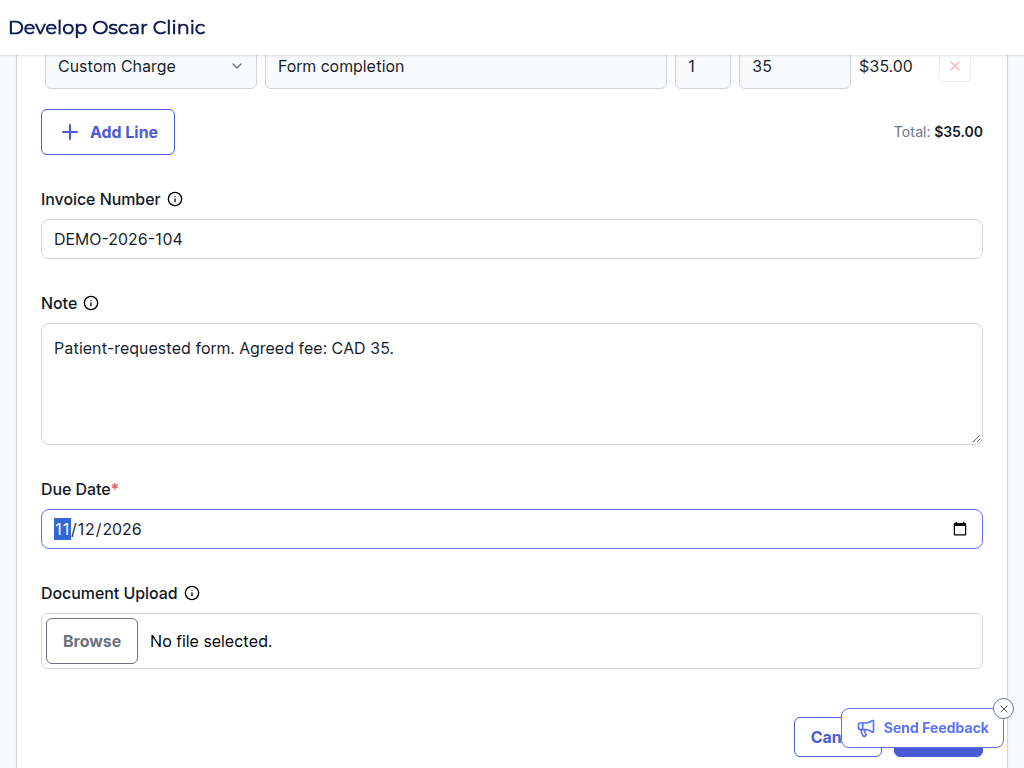
| Issue date and due date | The payment request has a clear timeline |
| Patient billing name and account reference | The invoice can be matched to the correct record |
| Service date and description | The patient can recognize what the charge relates to |
| Quantity, price and amount | The calculation can be checked |
| Currency, adjustments and balance | The amount due is clear |
| Payment instructions | The patient has an approved route to pay |
Use a plain-language service description. Include what the patient needs to understand the bill while avoiding unnecessary clinical detail, especially in an email subject or notification preview.
If a deposit or earlier payment applies, show it clearly. Otherwise, the patient may believe they are being asked to pay twice and staff will have to investigate a question the invoice could have answered.
Keep the invoice and receipt distinct
An invoice requests payment. A receipt records that payment was received. Marking those states clearly helps both the patient and the clinic.
The template includes a payment-record section for staff to complete through the clinic’s process. It asks for the date, amount and transaction reference. Do not mark an invoice paid simply because a payment link was sent or a patient opened it.
When a receipt is issued, it should match the actual transaction and explain any remaining balance. Keep a reference connecting it to the original invoice so the next staff member can follow the history.
Apply the template to a real clinic task
Consider a patient requesting a form that the clinic is permitted to charge for. A workable process has several handoffs:
- Confirm the service and fee. The clinic determines whether the service can be billed and explains its process to the patient.
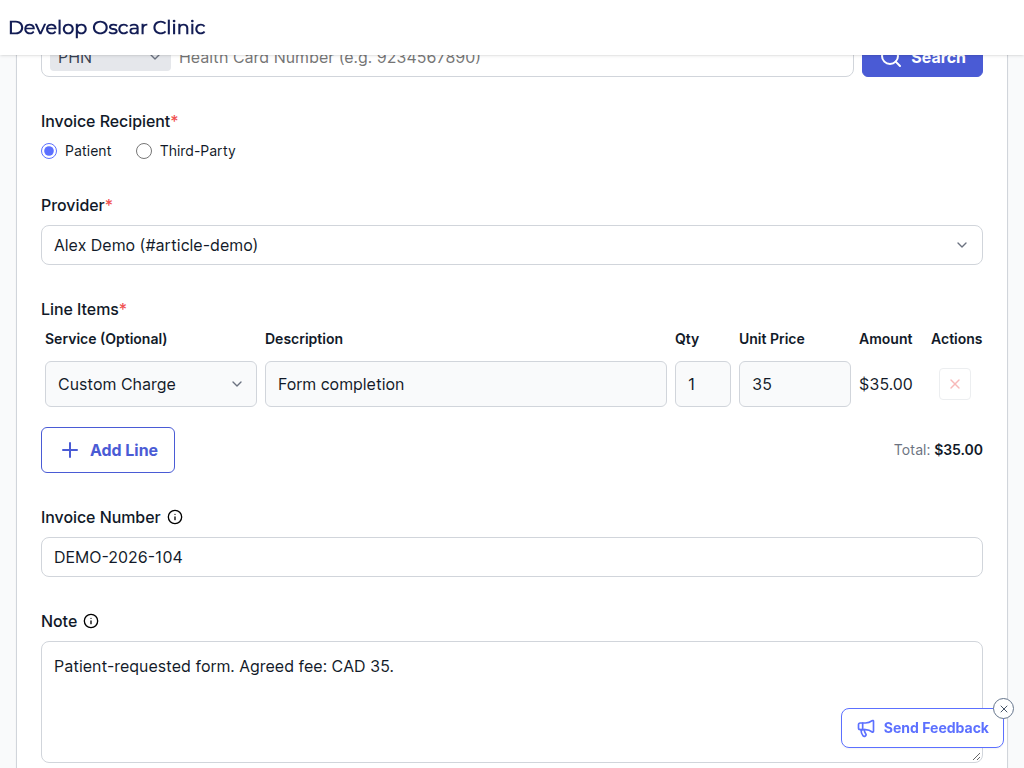
- Create the invoice. Staff use an identifiable service description and the correct patient account.
- Send the payment request. The patient receives the clinic’s approved payment route.
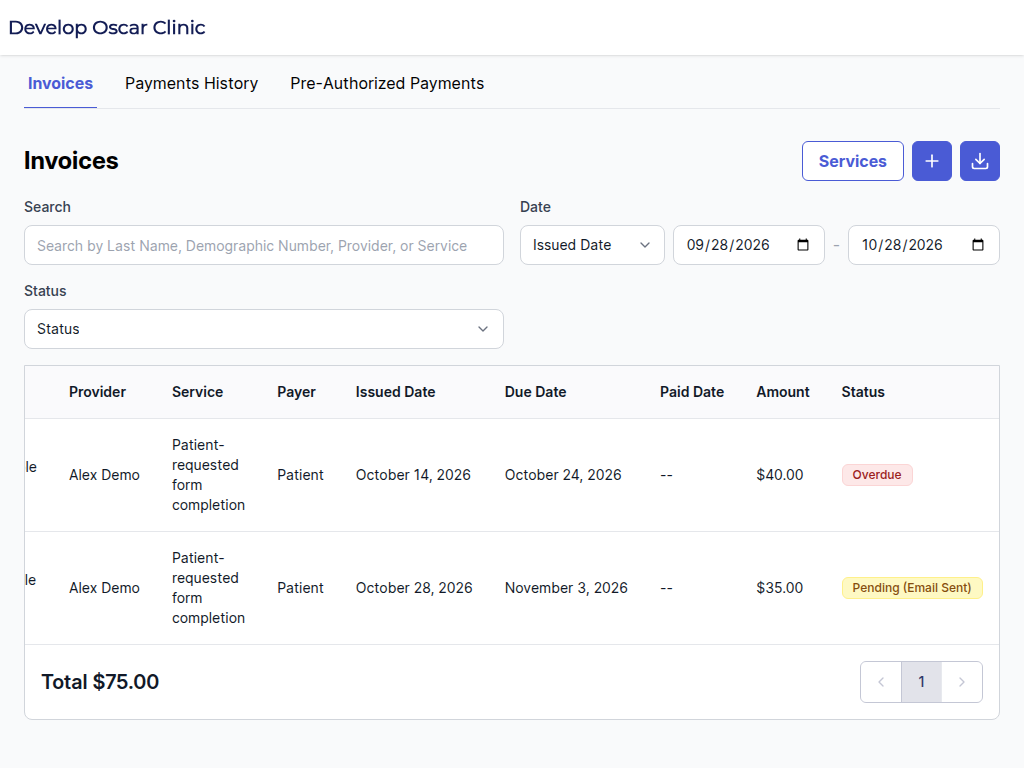
- Check payment status. Staff can see whether the amount remains outstanding.
- Complete delivery and reconciliation. The clinic follows its approved document-release process and records the transaction.
Assign responsibility for exceptions too. A disputed charge, duplicate invoice or payment posted to the wrong account needs review. Sending another reminder before resolving the issue can create more work for everyone.
Adapt the process for your jurisdiction and service
Canadian clinics may use patient-pay workflows for eligible uninsured services. US clinics may have self-pay services or patient balances. The rules and documentation requirements depend on the service, payer and jurisdiction.
Your billing lead should decide which charges belong in this workflow and which require another process. The template deliberately leaves tax, adjustment and service fields editable. It does not prescribe fees or claim that a particular charge is permitted everywhere.
Document access also needs its own policy. Linking a payment to a private service’s deliverable is not a blanket rule to withhold health records or clinically necessary information. Review the service and applicable obligations before configuring release conditions.
Connect the invoice to payment and delivery
Cortico’s patient invoicing workflow can send an invoice for a form or service, let the patient pay from their own device and show staff the payment status. In supported document-payment workflows, delivery can be linked to payment completion.
That connection removes a common handoff: one person sends the bill, another checks the payment and a third tries to find the document. Review the configured service and release rules with your team before using that approach.
For a practical example, Ocean Pier Medical replaced mailed bills with payment links for non-insured services. Its published story describes less follow-up work and automatic reconciliation when patients pay. The improvement came from the complete payment process, not simply a different invoice layout.
Check whether collection became easier
Track the time from invoice to payment, the number of staff follow-ups, unresolved billing questions and time spent reconciling payments. Compare the same types of services over a consistent period.
If invoices remain unpaid, review the reason before changing the message. An incorrect contact address, unclear charge and patient dispute are different problems. A reminder cannot resolve all three.
How should we deliver the invoice?
Use the invoice and payment workflow configured for your clinic. Check the recipient and delivery details before sending, and keep card details within the approved payment process.
What should staff check before sending?
Confirm the selected service, quantity, charge and patient details. Review the displayed total and resolve discrepancies before delivery.
Can I use this for an insurance claim?
Use the payer’s required process and documentation for claims. Cortico’s patient-pay invoice does not replace the payer’s claim process.
Want to reduce the handoffs after a form or service is completed? Explore Cortico’s payment workflow and bring one example invoice to the demo.
