

Link Copied!
Link copied to Clipboard.
Automatic email and SMS appointment reminders, driven by the appointments already in your EMR — on a cadence you set, with confirm and cancel handled by the patient.
Existing customer? Sign in
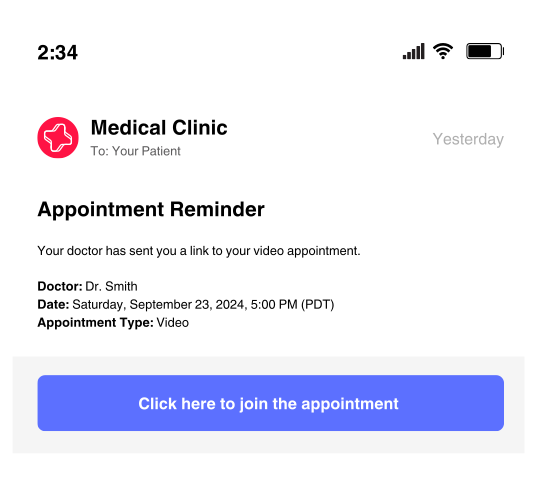
Automated reminders ensure your patients arrive on time and ready for their appointment, so your clinic operates smoothly.
Automatically send email reminders 7 days, 2 days, and 1 day before appointments
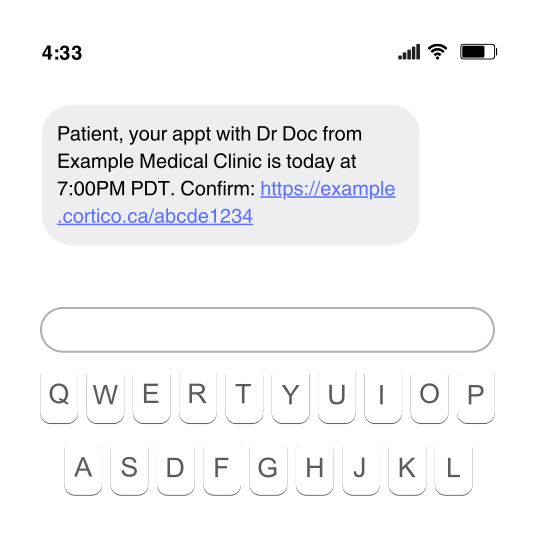
Deliver an SMS reminder about 90 minutes before the appointment, for appointments already on the schedule that morning
Fall back to SMS when a patient has no email address on file
Cortico reads the appointments already in your EMR and sends the reminders itself, on the standard 7/2/1-day email and 90-minute SMS cadence. You set the email days, clinic-wide or per appointment type. If a patient's number cannot take SMS at all — a landline — Cortico can place an automated voice call instead; that is a Premium option you switch on, and the FAQ below has its conditions. Where your clinic has multi-language support turned on, the written reminders go out in the language the patient chose in their Cortico portal.
Delivery is not assumed. The Reminder Report lists every appointment against what was sent on each channel, and narrows to just the ones where something failed. On Practice Fusion the appointment notes are stamped each time a reminder goes out, so the schedule itself shows who has been reminded.
What automated reminders and no-show fees did at one BC family practice.
Patients who cannot attend cancel instead of no-showing, so the slot can be refilled
Switch on reminders for appointments your staff booked in the EMR, not only ones booked through Cortico
A BC family physician ran a clinician-led quality-improvement project on her own practice and published the numbers with Cortico. In the reminders and no-show-fee part of that project, no-shows and late cancellations fell from 3–7 per week to near zero.
The scope, stated plainly: one clinic, one physician and one MOA, in a dermatology-focused family practice running OSCAR. It was a combined change — automated reminders and pre-payment of no-show fees for repeat offenders — so it is not a reminders-only causal estimate, and it is not an average across Cortico customers. Read the QI case study
Every reminder carries a secure link, and a few EMR-specific limits are worth knowing before you switch.
From the reminder itself. Each email reminder links to the patient's Cortico portal — no app, no account, no password. From there the patient confirms the appointment, cancels it (available when the appointment is more than 24 hours away), fills in any outstanding intake form, uploads a document the clinic asked for, or joins a video visit. When they cancel rather than no-show, the slot returns to your online booking and another patient can take it — and a patient who cancels can give a reason, which is how clinics find out why a pattern of no-shows exists.
Replies go through the portal, not back over SMS. Everything a patient does in response happens behind the portal link — and where your clinic uses Cortico's secure messaging, that includes an actual conversation with your staff, logged to the patient record. Opting out is the exception: STOP by text, or the unsubscribe link in an email. The FAQ below covers what happens if a patient texts anything else.
Before you switch, three limits worth knowing.
clinic, phone, virtual or home-visit — and, by default, on ones where that field is blank.Cortico powers clinics in Surrey, BC, Vancouver, BC, Toronto, ON, North Vancouver, BC, Burnaby, BC, Chilliwack, BC, Ottawa, ON, Victoria, BC, Abbotsford, BC, Mississauga, ON, Calgary, AB, Brampton, ON, and 49+ more cities.

Reach patients instantly with automated text message appointment reminders.
Learn more »Send secure messages and documents directly to patients’ email inboxes.
Learn more »Assign, track, and manage patient tasks with ease.
Learn more »Frequently Asked Questions
Self-scheduled appointments carry a risk of no-show just like manually booked ones. However, there are tactics you can use to reduce no-show rates to near zero.
Get a demo tailored to your practice.
Active Healthcare Professionals
Tasks Automated Every Month*
As of 2026. *Task = any interaction where Cortico performed a clinical administrative task on a human's behalf.