



A medical history form is useful when the right person has reviewed it before the visit. If a patient completes a PDF and it sits in an inbox, the clinic still has to find the file, match it to a chart and work out what needs attention.
A medical history form should reflect the appointment and the questions your clinical team needs answered. In Cortico, that means selecting and configuring the appropriate form, then deciding when to collect it and how the care team will review the response.
Start with the form your clinic actually uses
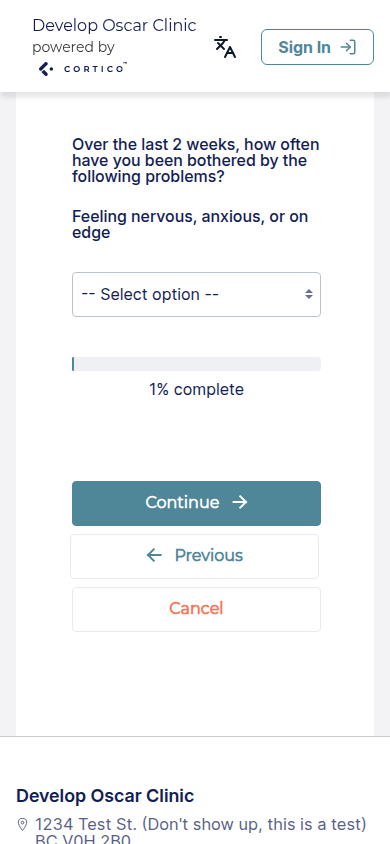
Cortico includes named clinical questionnaires such as PHQ-9, GAD-7 and EPDS in its default form library. These serve specific purposes; they are not a general medical-history questionnaire. Your clinic chooses which forms to activate and where they belong in the patient journey.
For a general history, bring your existing clinic-approved questions to the setup discussion. Confirm the supported question types, the completion experience and where the responses will appear in your EMR.
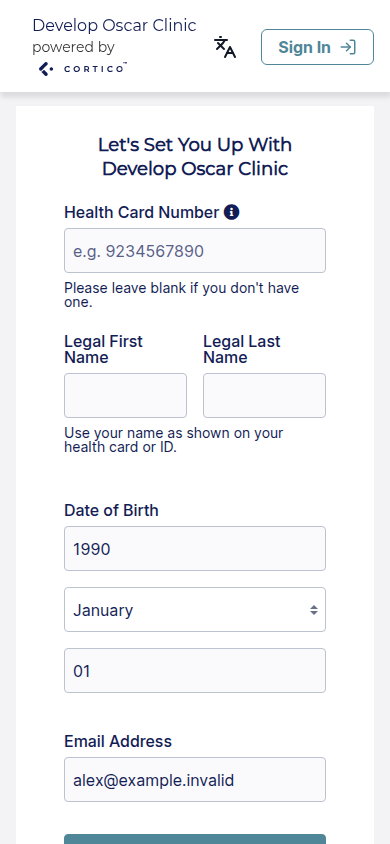
Registration details and contact information belong in the administrative intake process. Keeping that separate from clinical questions makes each part easier to maintain.
What should a medical history form collect?
Start with the information the clinician needs for the planned visit. A lengthy questionnaire can create more work if staff have to chase answers that will never be used.
Depending on the visit, your clinical team may need to cover the following areas:
| Section | What it helps the clinic do |
|---|---|
| Patient and visit details | Match the completed form to the correct patient and appointment |
| Medicines and supplements | Give the clinician a patient-reported list to review |
| Allergies or reactions | Give the patient space to describe information their care team should review |
| Relevant conditions and previous care | Collect background for the appointment |
| Operations, procedures or hospital stays | Record relevant history in the patient’s own words |
| Other information and questions | Let patients flag something the standard questions did not cover |
| Clinic review | Record the staff completeness check and clinician handoff |
A family practice, specialist clinic and rehabilitation service may need different questions. Add a family-history module or other sections only when the clinical team identifies a reason to collect them.
Leave enough room for an answer. A patient who takes several medicines should not have to squeeze the list into a single short box. Provide a clear way to add another page or discuss an answer during the visit.
New patient or returning patient?
A new patient may need to complete a full history. For a returning patient, your team may only need to ask what has changed since the previous review.
Ask your clinical team when a shorter update is appropriate and how changes should be reconciled with the existing chart. A patient submitting an update does not, by itself, make the medication list or other chart information current.
Send the form as part of appointment preparation
Choose a point in the booking process when the patient understands why the clinic is asking for the information. For example, the booking confirmation can explain which form is needed and how the patient can return it securely.
Keep the instructions concrete:
That is example wording for a clinic to adapt. Replace it with the return method and assistance your team actually provides. Avoid asking patients to send a completed medical history through ordinary email simply because the original template was a downloadable PDF.
Keep an assisted route available. Some patients will need help completing the form or will complete it at the clinic. Record that exception so reception does not repeatedly send a reminder for a task the team has already agreed to handle in person.
Give staff and clinicians different review tasks
A completeness check and a clinical review serve different purposes. Make both visible in the workflow.
Reception or an MOA checks the administrative handoff. Does the form belong to the right patient? Can it be opened? Are required sections missing? Has it reached the correct chart or review queue?
The clinician reviews the clinical answers. The clinic decides how that review is recorded and which questions need to be discussed with the patient. A form marked “received” should not be mistaken for a form marked “reviewed.”
Record ownership through your clinic’s established process. A staff completeness check does not replace the clinician’s documentation in the EMR.
Move the answers into the appointment workflow
With Cortico’s digital intake forms, clinics can collect information at registration, booking or another configured point in the patient journey and save responses to the EMR.
Before configuring a form, check how that works in your specific EMR. A completed document attached to the chart and answers mapped into structured fields are different outcomes. Ask to see where the response appears, who can access it and how your clinician will review it.
Patient tasks can also help staff see which requested forms remain outstanding. The goal is a reliable handoff from the patient’s answer to the care team’s review.
Check whether the new form reduced work
Pilot the form with one appointment type before extending it across the clinic. Compare the same measures before and after the change:
- Forms received before the appointment.
- Forms returned with required information missing.
- Staff time spent locating, matching or re-entering answers.
- Appointments where the clinician had the history ready to review.
Review the incomplete forms too. Repeatedly skipped questions may need clearer wording, more space or a different place in the visit.
Common questions
Can patients complete clinical forms electronically?
Cortico supports digital clinical forms configured for the clinic. Test the selected questionnaire as a patient and confirm how its answers are collected, stored and reviewed before rollout.
Is this the same as a patient intake form?
Medical history is one part of intake. Administrative intake also covers registration details, contact preferences and clinic-specific requirements. See our guide to patient intake for the wider process.
Will a PDF automatically update an EMR?
A PDF by itself does not create that connection. The result depends on the software and integration handling the form. Confirm the response format and filing behaviour before changing your workflow.
Want to see that handoff in your clinic’s EMR? Explore Cortico’s intake workflow and bring one form your team uses today to the demo.
