


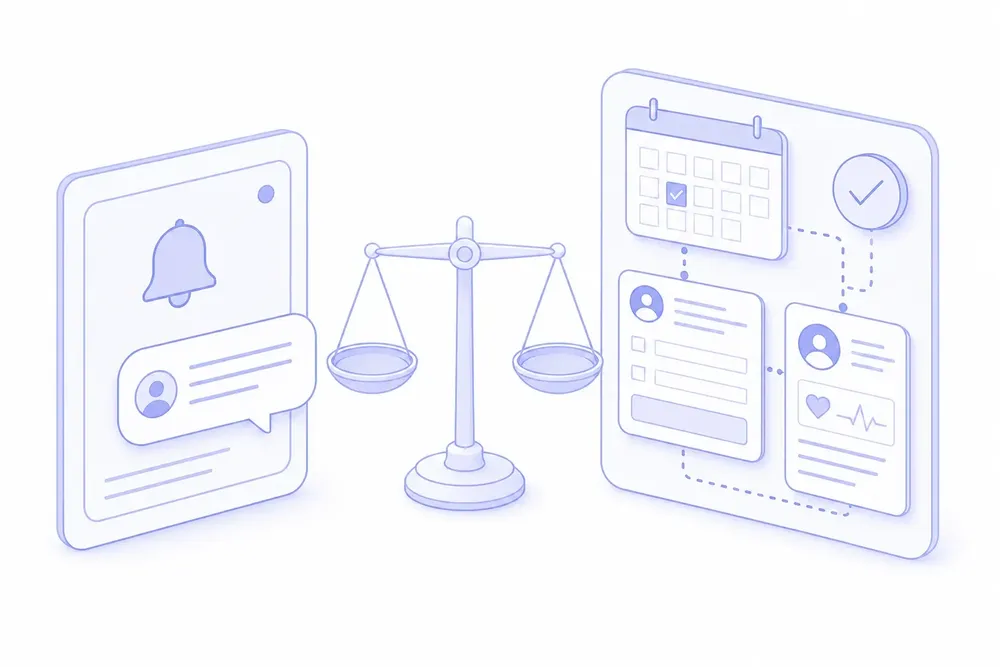
GoReminders is a straightforward choice for appointment-based businesses that want automated text and email reminders. Its public product pages show reminder schedules, appointment confirmations, booking links, message templates, calendar integrations, and message blasts. A medical clinic has a harder integration question: what happens before and after the reminder? Patients may need to select the right appointment type, complete intake, update a health card, receive secure information, or have a booking recorded in the EMR. The best GoReminders alternative depends on whether those jobs stay separate or become one connected workflow.
What GoReminders does well
GoReminders focuses on appointment reminders. Its site says clinics and other appointment-based businesses can send automated text and email reminders, set the timing, use appointment confirmations, customize message templates, and let customers book through a booking link.
Its pricing page offers Basic, Professional, and Scale plans. The displayed price varies with selected appointment volume and billing cadence.
A clinic should keep GoReminders if its staff can safely manage booking, forms, patient communication, and chart updates in the systems they already have, and reminders are the only gap.
Where a medical clinic can outgrow standalone reminders
Standalone reminder software can solve the notification step without solving the patient journey around it. Before switching, ask where each step begins and ends.
Does booking follow your clinic’s rules?
A generic booking link may be enough for a single service. Primary care clinics often need rules for provider availability, appointment type, new-patient status, daily limits, same-day care, and location. Ask a vendor to show how it handles those rules in a real clinic workflow.
Does the workflow connect to the EMR?
GoReminders advertises integrations with calendars, website builders, and other tools. The public pages reviewed for this comparison do not establish direct write-back to a medical EMR or a chart workflow for intake data. If your clinic needs either, ask GoReminders to demonstrate that specific workflow before you buy.
Cortico is built as an add-on to the EMR rather than as a separate reminder calendar. It supports OSCAR and Oscar Pro, Juno, Accuro, MedAccess, and Practice Fusion. Integration depth varies, so clinics should still verify their own EMR workflow during a demo.
Do patients have one route through the clinic?
A reminder can reduce no-shows, but it does not by itself give patients a place to book, confirm, cancel, complete forms, receive secure messages, and pay. Cortico connects online booking, reminders, patient portal actions, secure messaging, and intake around the appointment workflow - what patient engagement software does when it runs on your EMR. Patients can confirm or cancel through the portal; they do not reply to a text message to make those changes.
Can staff add the next workflow without another system?
A clinic may start with reminders and later need intake, recall, secure messaging, a kiosk, or automated follow-up tasks. Ask whether the product can add those workflows without making staff manage another patient list, inbox, or schedule.
Cortico’s appointment reminders run by email and SMS. The standard email schedule is 7 days, 2 days, and 1 day before an appointment; SMS reminders send 90 minutes before eligible appointments. Cortico can also send reminders for manually entered EMR appointments when the appointment medium is configured.
GoReminders and Cortico at a glance
| Question | GoReminders public product pages | Cortico for supported EMRs |
|---|---|---|
| Appointment reminders | Automated text and email reminders with configurable timing | Email and SMS reminders tied to the appointment workflow |
| Confirmations | Advertises appointment confirmations | Patients confirm or cancel in the portal linked from the reminder |
| Booking | Booking link and appointment booking | Online booking with clinic rules and live supported-EMR availability |
| Integrations | Calendars, website builders, and other listed integrations | EMR integrations plus patient-facing workflows around the EMR |
| Pricing model | Monthly plans selected by appointment volume and billing cadence | Per-FTE monthly packages, starting at $86/FTE with a $99 monthly minimum |
Ask both vendors to walk through one actual patient journey, from booking to the final chart or staff action.
When to choose Cortico instead
Cortico fits a primary care clinic when reminders are part of a wider administrative problem. Consider it when your staff want booking and reminder workflows that use the EMR schedule, patients need forms or secure follow-up, or the clinic wants to reduce phone work without creating another disconnected system.
It is also a fit when the clinic needs more control over who can book and when. Cortico can apply appointment-type rules, daily limits, new-patient settings, and other booking controls. See Cortico pricing and review the full EMR integration list before comparing the workflow with your current system.
When to stay with GoReminders
Stay with GoReminders when its reminders, confirmations, booking link, and calendar connections cover the work your team needs to automate. Its public pricing and free-trial offer make it practical to test a focused reminder workflow. The better question is whether reminders are the only administrative job still creating calls, re-entry, and follow-up work. If they are not, evaluate the workflow around the reminder rather than the reminder alone.
