


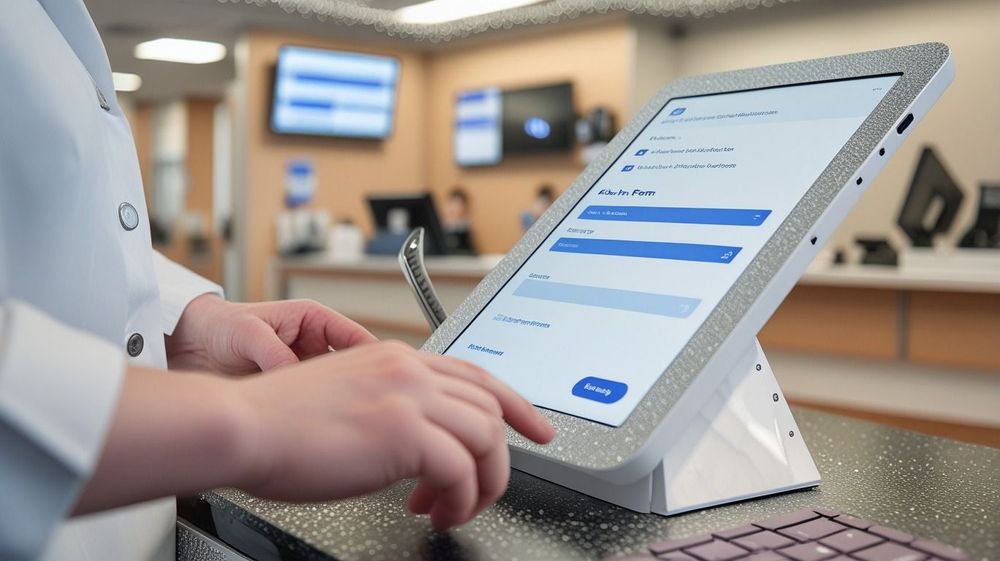
The front desk in a medical clinic is one of the busiest environments in healthcare. Before a patient has a chance to ask a question, the staff must confirm their identity, verify insurance, update their information, collect payments, and direct them to the right place, all in the same ninety-second window.
Clinics began adopting healthcare kiosks to address front-desk overwhelm, but they have now expanded well beyond check-in and registration. Today, kiosks also support clinical screening, pre-consultation history collection, vital sign capture, and patient education at the point of care. A systematic review of 37 studies on health kiosk utilization found kiosks to be cost-effective and flexible across a range of clinical settings.
This guide breaks down what modern kiosks can do, the types available, and why providers adopt them. We also cover what the compliance and accessibility requirements look like, and what to confirm before deploying one.
What Is a Healthcare Kiosk?
A healthcare kiosk is a self-service station that lets patients, visitors, or staff handle routine administrative tasks independently. Whether it’s a freestanding unit, a mounted tablet, or a dedicated app, kiosks can be found across hospitals, clinics, and pharmacies.
Instead of waiting at the front desk or calling on a staff member, patients can use a kiosk to check in, update their information, complete consent forms, find their way through large facilities, or take a quick health reading. The tasks that can be handled depend on the type of kiosk the facility has deployed.
Because healthcare kiosks connect to so many behind-the-scenes systems, they’re often mistaken for other clinical software. However, their role is unique. Electronic Medical Records (EMRs) and front-desk platforms are staff-operated tools for managing files and workflows, while a kiosk is patient-facing and on-site. It acts as the terminal through which patients can independently interact with the provider’s systems, not the systems themselves. Handling those routine steps on-site can help reduce administrative burden and improve the patient experience.
The Main Types of Healthcare Kiosks
The term “healthcare kiosk” covers several distinct technologies, each built for a different task and point in the patient journey. Understanding what each type of kiosk handles and where staff involvement is still necessary is the starting point for choosing the right product.
Patient Check-In and Registration Kiosks
Patient check-in and registration kiosks are the most widely deployed type in primary care and outpatient settings. Patients use them to confirm arrival, update their details, complete outstanding forms, and pay co-pays.
The technical distinction that matters most is what happens to the data afterward. A kiosk that writes structured data directly into the EMR eliminates a manual re-keying step. A kiosk that produces a PDF leaves staff with data reconciliation work. That difference determines whether the kiosk reduces administrative load related to patient intake or redistributes it.
Patient Feedback Kiosks
Patient feedback kiosks sit near exits or in waiting areas and collect patient experience data immediately after a visit. They typically ask one to three touchscreen questions that feed directly into a management dashboard. Feedback kiosks are not part of the check-in workflow, and conflating them with registration kiosks when comparing options leads to mismatched expectations on both sides.
Wayfinding Kiosks
Wayfinding kiosks are interactive map and directory terminals designed for large hospital campuses and multi-specialty centers. They help patients and visitors locate departments, clinics, and diagnostic services. In smaller primary care settings, wayfinding kiosks are rarely used.
Health Screening and Monitoring Kiosks
Health screening and monitoring kiosks let patients check basic health metrics (blood pressure, BMI, oxygen saturation) without staff involvement. Common in pharmacies, community health centers, and corporate wellness programs, they are a distinct category from administrative check-in kiosks and serve a different operational need. A systematic review of 37 kiosk studies identified biometric screening as one of the most consistently documented kiosk use cases in the literature.
Telehealth Kiosks
Telehealth kiosks are private booths or terminals that connect patients with remote clinicians via video. Their adoption has grown significantly in long-term care, rural health, and areas with limited specialist access.
For most clinics evaluating healthcare kiosks for the first time, check-in and registration are the practical starting point. They address the highest-frequency administrative tasks and have the most direct effect on day-to-day staff workload.
Why Healthcare Providers Use Patient Kiosks
Clinics turn to self-service terminals for several clear operational reasons. The evidence is strongest for patient check-in and registration kiosks in high-volume practices.
- Shorter patient wait times. A study of US emergency departments found that wait times were 56.8% shorter in facilities with self-check-in kiosks. While ERs face unique triage pressures, the core mechanism of reducing queue formation at the registration desk applies across settings.
- Reduced front desk workload. When returning patients handle their own routine check-ins, staff are freed up to focus on tasks that actually require human judgment. Instead of managing repetitive sign-ins, staff can focus on patients who need extra support. A peer-reviewed outpatient study found that kiosks reduced check-in duration without negatively affecting patient satisfaction.
- Improved data accuracy. When patients enter their own details directly, demographic and insurance data tends to be more accurate than information transcribed by staff from a paper form. Digital intake forms that write directly to the EMR completely bypass the manual re-keying step where typos and transcription errors typically accumulate. Manual re-entry is a common and preventable source of intake data errors.
- Payment collection at check-in. Collecting co-pays and outstanding balances at the kiosk before the appointment can reduce time spent on post-visit billing and improve collection rates. This upfront payment structure is especially valuable in multi-payer environments, where collecting the patient’s share before the visit lifts overall collection rates and shrinks the balances staff chase afterward.
- Greater privacy for patients. Speaking sensitive personal or medical details out loud in a crowded waiting room can be uncomfortable. Patients may feel more comfortable disclosing sensitive information on a kiosk compared to a shared front desk. Higher comfort tends to produce more complete and accurate answers, a data quality outcome with direct implications for clinical care.
Designing for Accessibility
A review of kiosk use in healthcare found that older and less digitally literate patients can complete check-in on their own when the interface is built for diverse needs, with clear prompts, large text, and audio guidance.
In practice, good accessibility for a healthcare kiosk comes down to a few key design choices:
- Language options. The interface available in the languages your patients actually speak, so a non-native speaker isn’t shut out at the first screen.
- Readable, audio-supported screens. Large, high-contrast text with clear prompts and spoken guidance, so low vision or limited digital literacy isn’t a barrier.
- Physical reach and height. A screen and controls a seated or wheelchair-using patient can comfortably reach and operate.
- Simple, guided navigation. A straightforward, step-by-step flow that someone who’s never used a kiosk can follow without staff help.
Design these in from the start and the kiosk’s time savings reach a much wider share of patients. Skip them, and a patient who can’t get through the screen just goes to the front desk anyway, so the kiosk hasn’t saved anyone time on that visit.
Legal and Compliance Considerations
Most of the design features that expand accessibility are also legal requirements. In Ontario, the Accessibility for Ontarians with Disabilities Act (AODA) requires organizations deploying self-service kiosks to meet specific accessibility standards. The Americans with Disabilities Act (ADA) applies equivalent requirements in the US, covering screen height, reach range, audio output, and interface navigation.
Kiosks Usually Don’t Replace the Front Desk
No matter how well-designed the kiosk is, most practices will still require a traditional front desk.
Patients with severe visual impairments, significant dexterity limitations, or complex cognitive needs often require direct support, and a clearly signposted option (that doesn’t require patients to single themselves out in a shared waiting room) keeps the check-in experience consistent for everyone.
Best practice is that the kiosk handles the routine, the front desk handles the exceptions, and the clinic keeps both pathways intentional.
How to Deploy a Patient Kiosk
Successful deployment of a healthcare kiosk is as much about workflow as it is hardware. The practices with the best results tend to map their existing check-in process before the terminal arrives, so the kiosk fits how the clinic already works. Mapping the workflow before the hardware is the ordering AHRQ’s workflow-assessment toolkit ties to successful health-IT rollouts.
Once you know how a kiosk needs to fit your process, it’s time to review your options. Here are some questions to ask of a vendor to help evaluate if their product might be a good fit:
- Can the kiosk write directly to the EMR? A kiosk that writes structured data straight into the EMR removes a re-keying step. One that produces a PDF hands staff reconciliation work instead. Confirm the integration is tested for your exact EMR version, not just listed as “compatible.”
- Does it connect to pre-visit intake? A kiosk wired into pre-visit forms lets patients arrive with the work already done. A standalone one carries the full data-collection burden on arrival, which can add to the waiting-room bottleneck rather than removing it.
- How does the kiosk handle new patients? Chart creation, identity checks, and consent are heavier than a returning-patient check-in, so find out how the kiosk handles first-time visits.
- Is it accessible and compliant? Before purchasing a healthcare kiosk, check that it meets AODA or ADA requirements.
Cortico’s Medical Clinic Kiosk
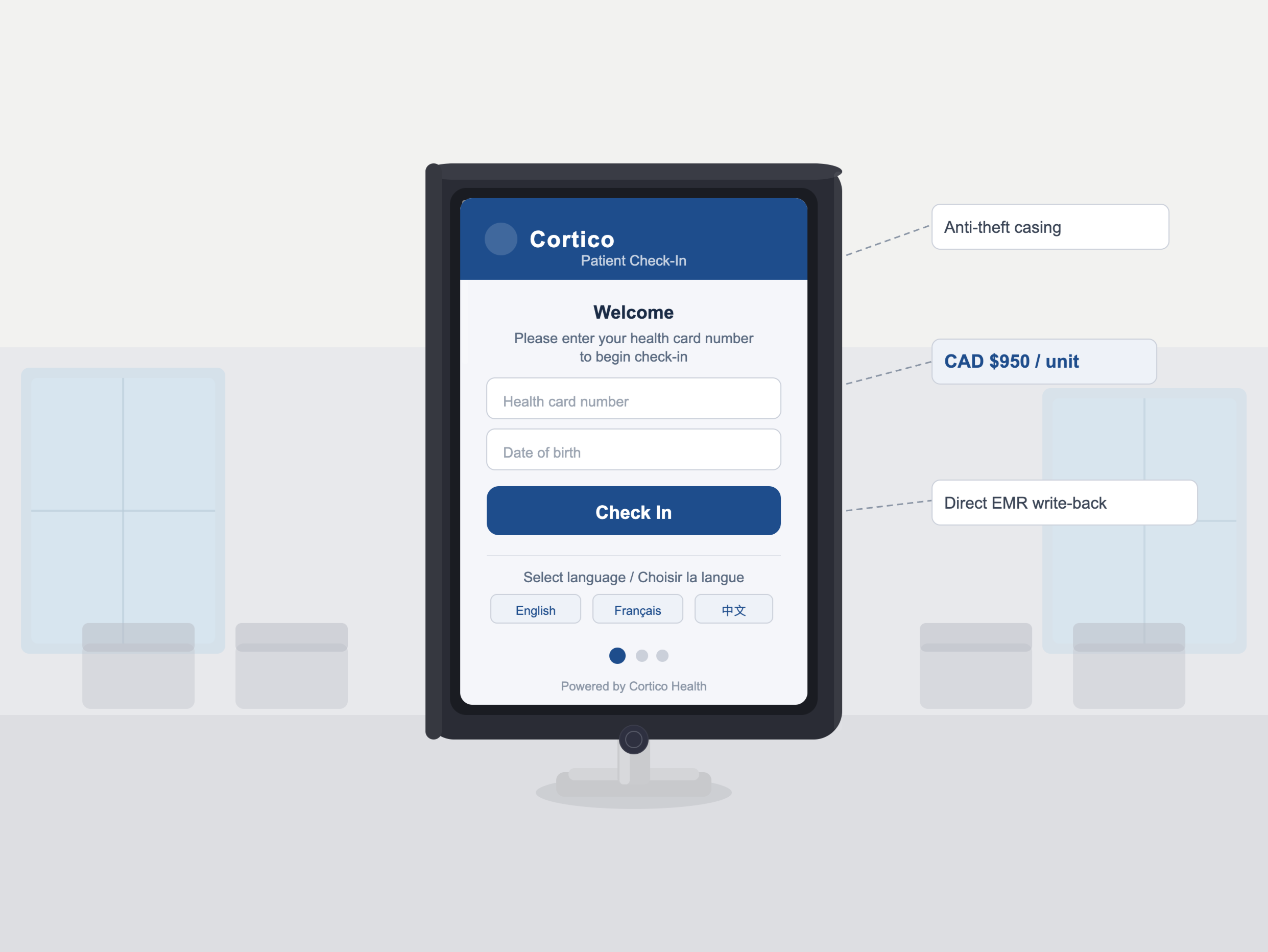
Cortico’s healthcare kiosk is a comprehensive patient check-in and registration terminal. Patients use it to confirm their arrival, update details, complete intake questionnaires, and verify coverage. Everything a patient enters into the kiosk writes straight into the EMR as structured data.
Our kiosk runs on a secured tablet and connects to the rest of Cortico’s intake tools, including pre-visit forms and automated appointment reminders, so routine check-in tasks are handled on arrival, and your front desk stays free for the patients who need support.
See the medical clinic kiosk page for the full feature set, or book a demo to see how Cortico could help your clinic.
