
Your clinic uses Cortico, so you can manage your care online - any time, from your phone. No more waiting on hold.
Find your clinic’s page
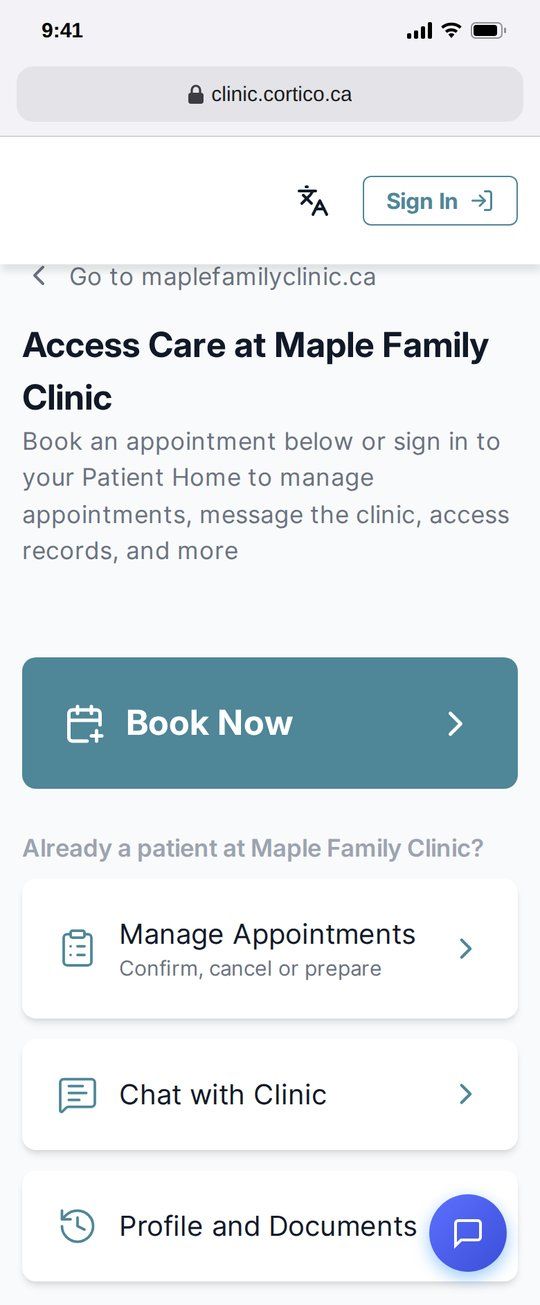
- Go to your clinic’s website and tap the link to book or contact the clinic online. It opens your clinic’s Cortico page, at an address like
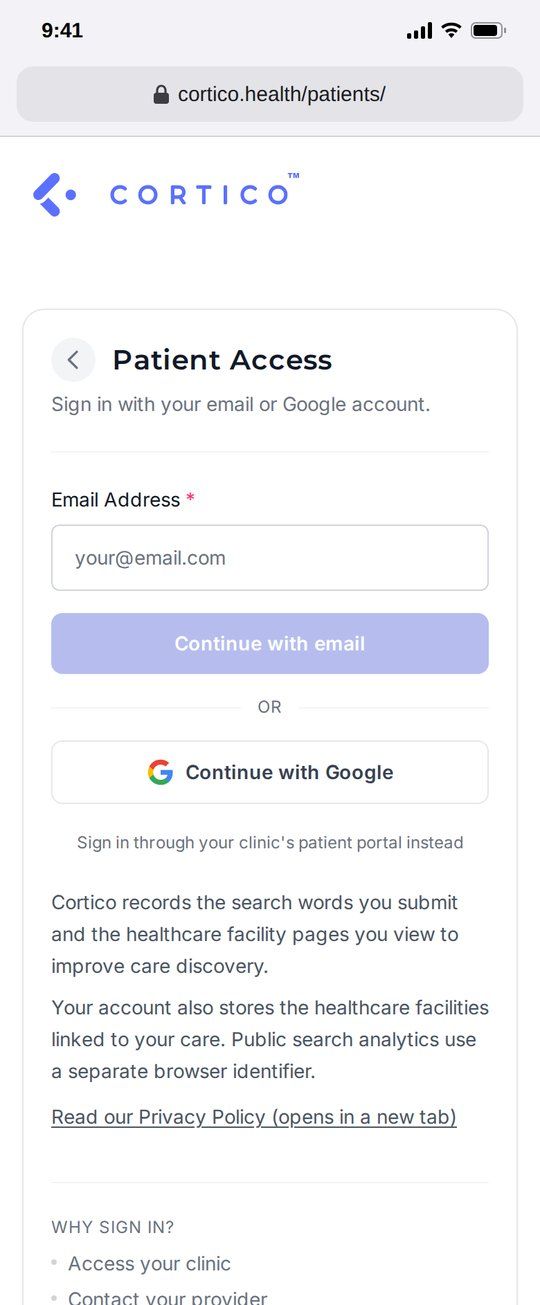
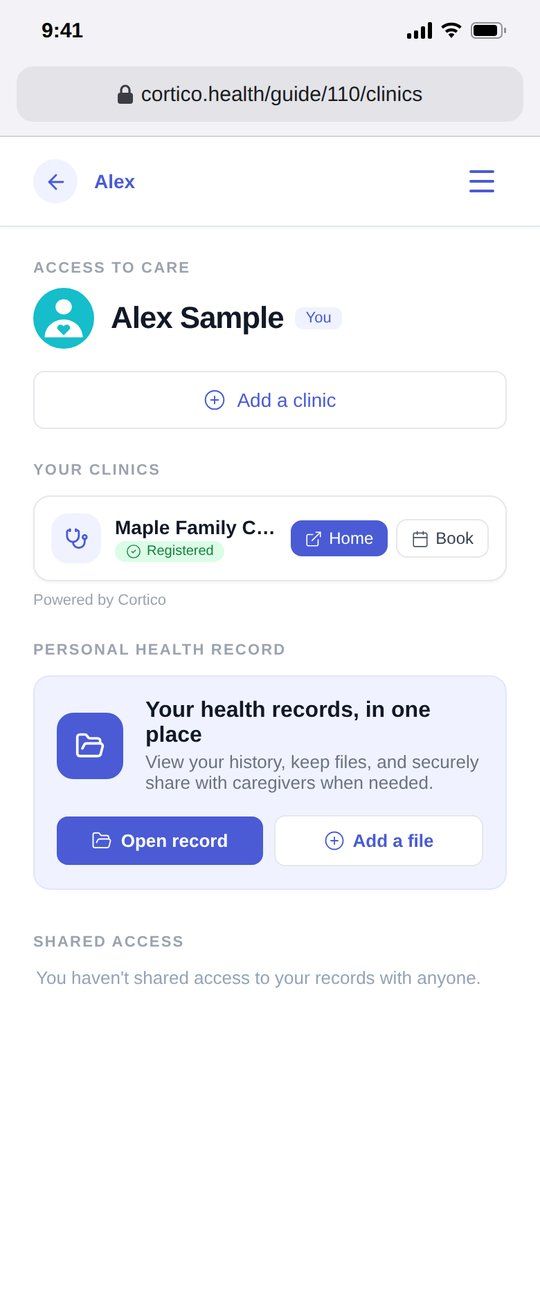
clinic.cortico.ca. - Can’t find it? Sign in at cortico.health/patients with your email or Google account. Under Your clinics, tap Home to open your clinic’s page, or Book to book right away.
- You can also search for your clinic.
Tip: bookmark your clinic’s page, or add it to your phone’s home screen.
What you can do
Book, confirm and cancel appointments
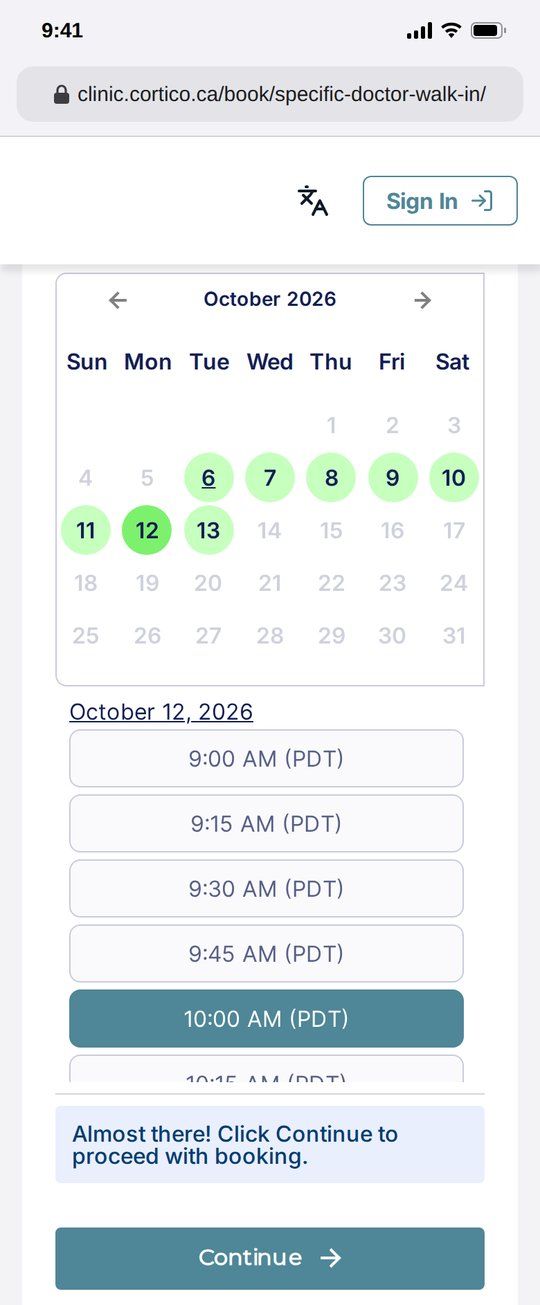
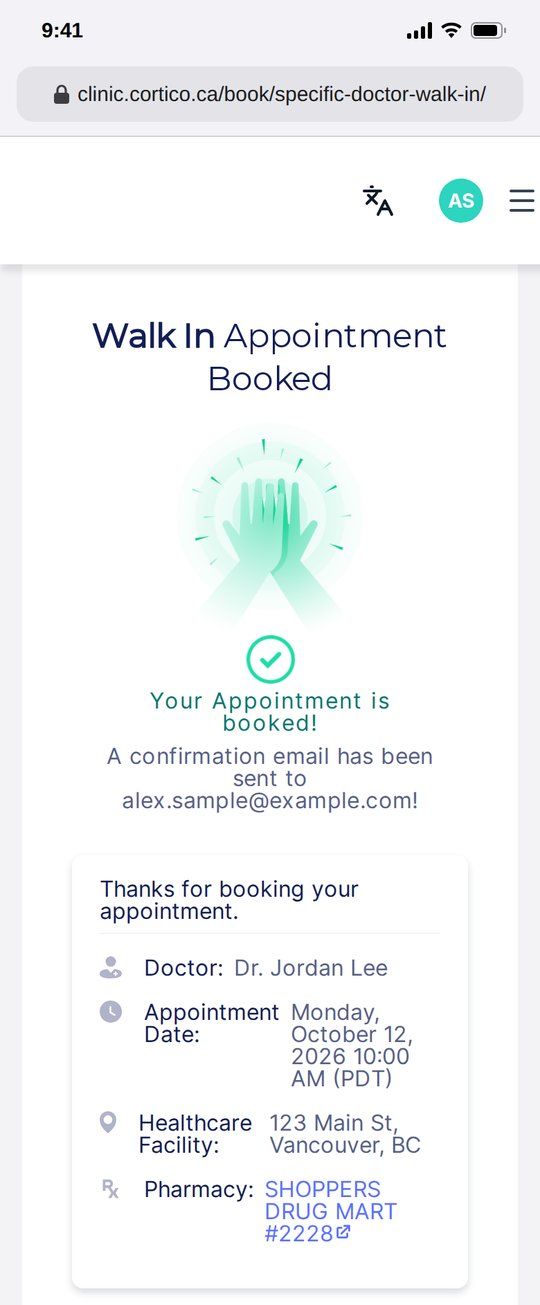
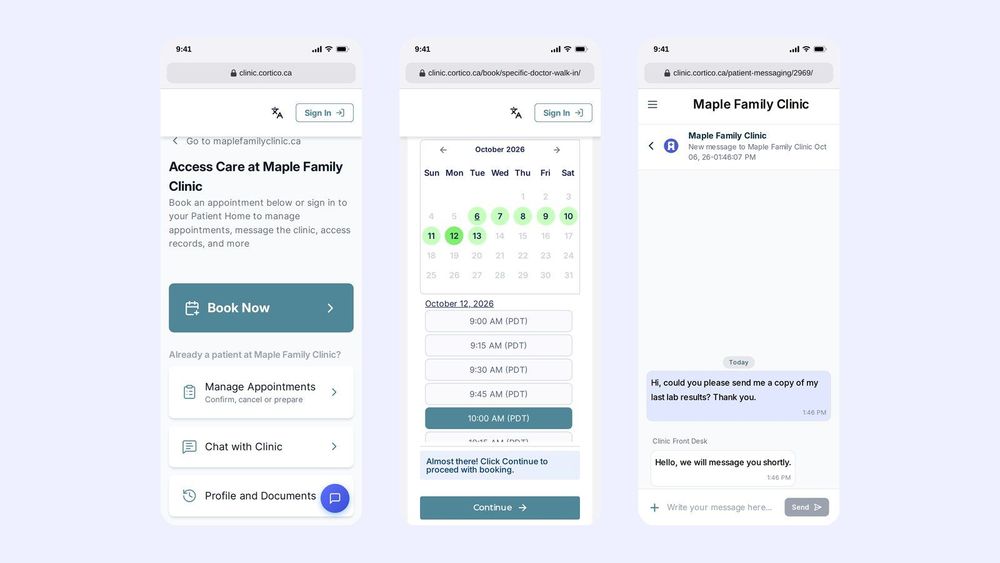
- Book: tap Book Now, enter your health card number and date of birth, and answer a few questions about your visit. Choose in-clinic or video, pick a day and time, then tap Continue. You’ll see a confirmation and can add the visit to your calendar.
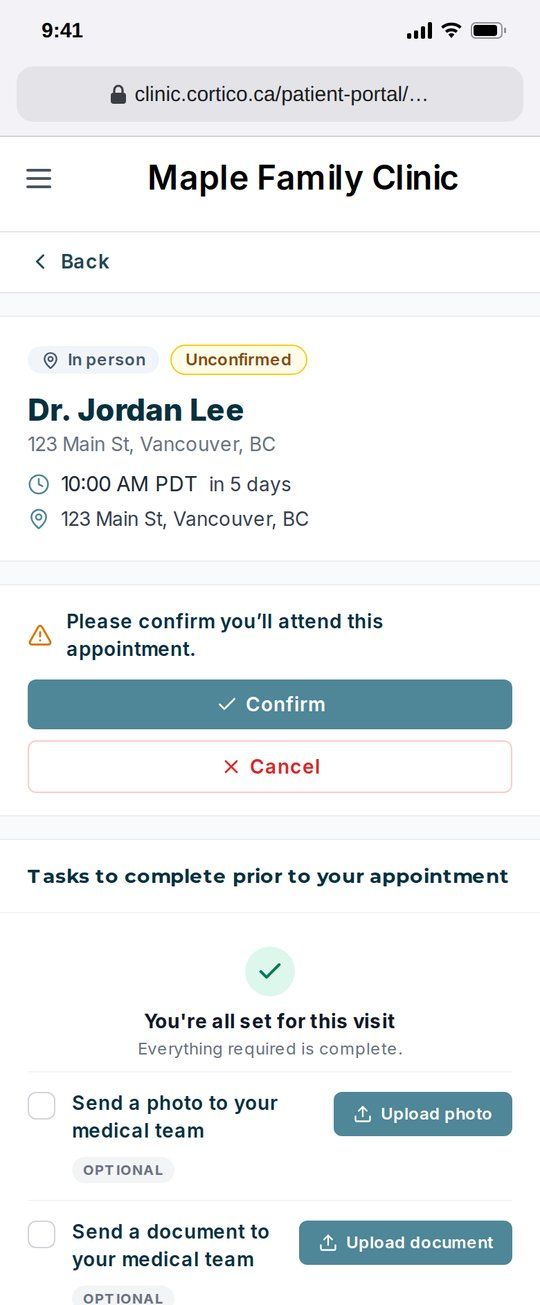
- Confirm or cancel: tap the link in your appointment reminder, or open Manage Appointments. Tap Confirm to let your clinic know you’re coming, or Cancel if you can’t make it. Cancelling early frees the time for another patient.
See records your clinic sent you
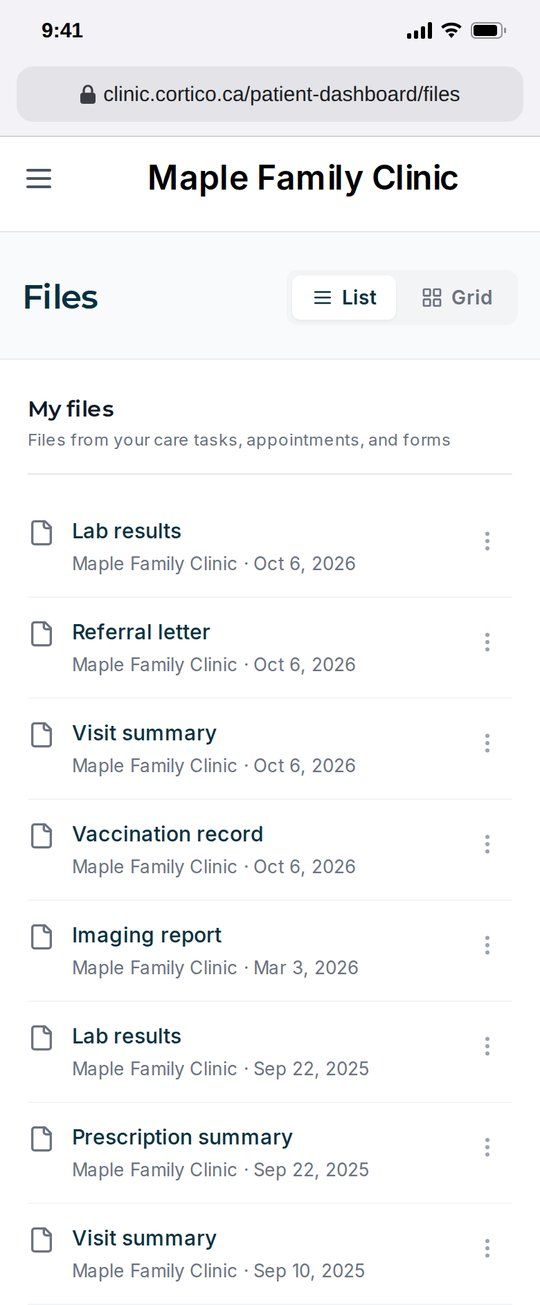
Tap Profile and Documents, then Files. You’ll find forms you filled in and files your clinic shared with you through secure messaging.
Update your contact info
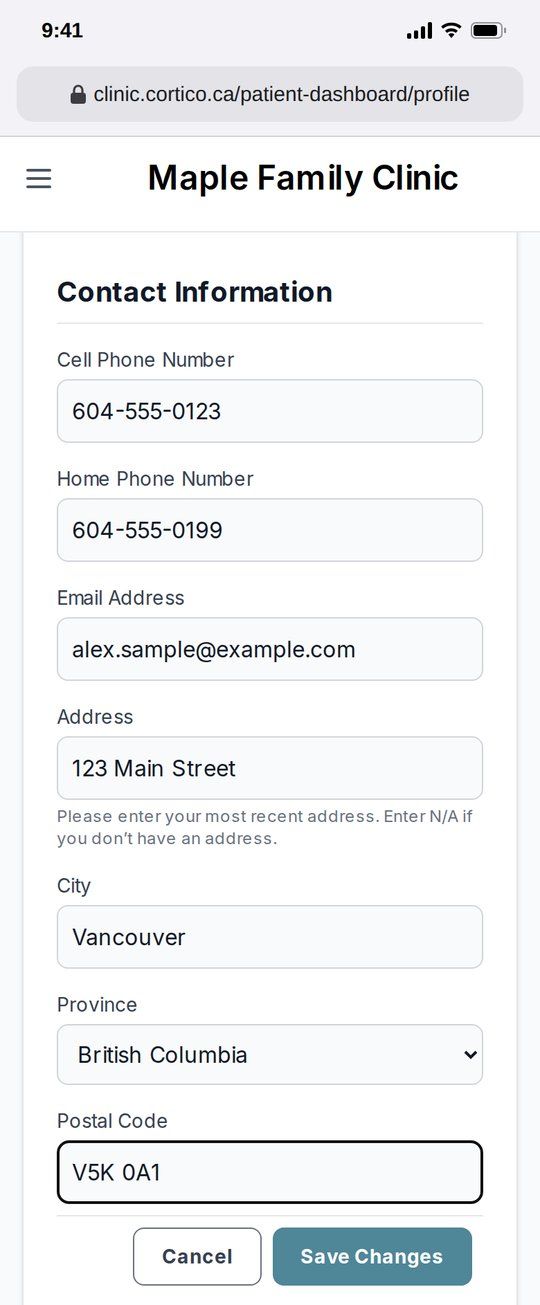
Open the menu (☰), tap your name, then Edit. Update your phone number, email or address and tap Save Changes. Keeping these current means your reminders and messages reach you.
Chat with your clinic
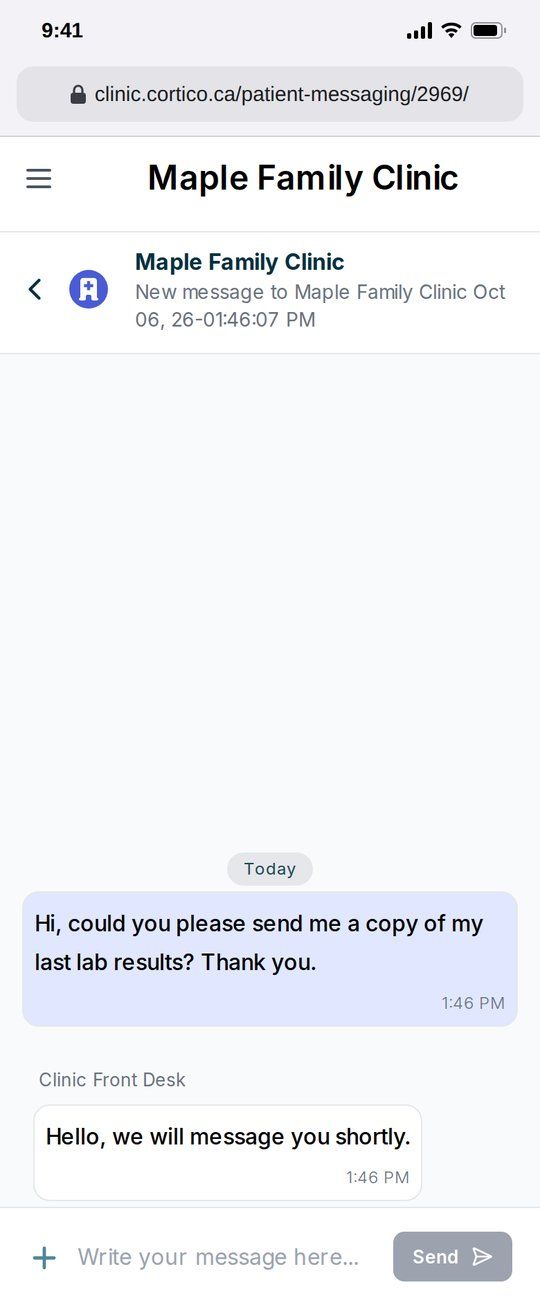
Tap Chat with Clinic, then the pencil icon. Common requests have quick answers under How can we help?. For anything else, type your message and tap Send. Your clinic replies in the same conversation.
Good to know
- Free for patients. There is nothing to install and no fee.
- Secure. Your messages and records travel over an encrypted connection to your clinic.
- Options vary by clinic. Each clinic chooses which services it offers online, so you may not see every option above.
- Not for emergencies. Call 911 or go to the nearest emergency department.
Cortico is the secure, instant way to manage all your care online.
See it on your phone