

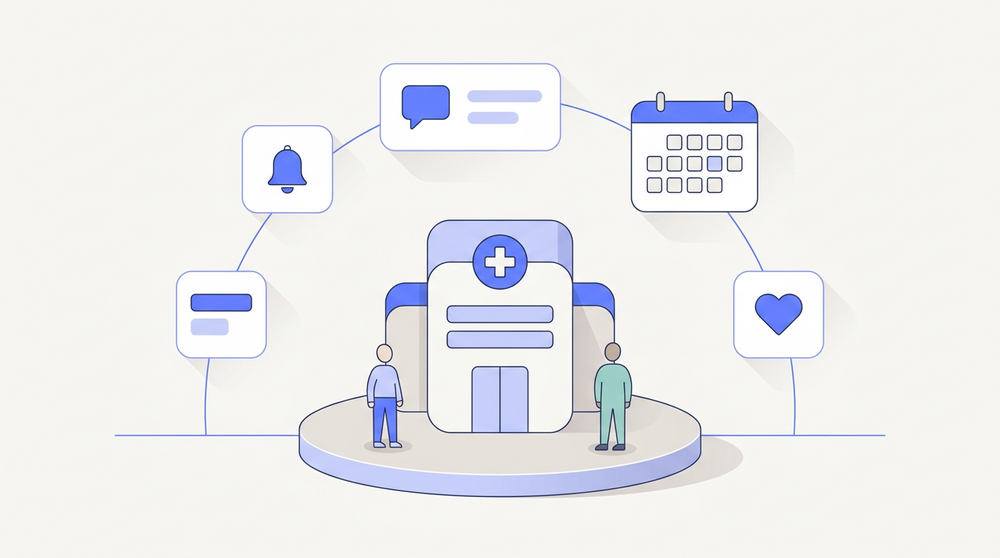
Cortico is patient engagement software that runs on top of the EMR your clinic already uses. It handles the work that happens outside the exam room - online booking, automated appointment reminders, secure patient messaging, digital intake forms, video visits, and payments - and writes all of it back into the chart. Clinics running Cortico automate up to 90% of routine admin tasks and save a medical office assistant 3+ hours a week.
This page explains what patient engagement software is, what a complete platform should include, which EMRs Cortico integrates with and how well, and where Cortico goes past what a patient engagement tool normally does.
What is patient engagement software?
Patient engagement software is the layer that manages communication and administrative work between a clinic and its patients outside the appointment itself. It lets patients book, confirm, cancel, complete forms, receive results, message staff, and pay, all without calling the front desk. On the clinic side, it automates the outbound work that used to be a phone call: reminders, follow-up invitations, form requests, and results delivery.
An EMR is a system of record. It stores charts, notes, billing, and the schedule. It is not built to reach patients. That gap is why patient engagement software exists as a separate category: the EMR knows the appointment is tomorrow at 10:15, but has no way to tell the patient, collect their history, or take their payment.
What a patient engagement platform should include
A complete patient engagement platform covers five jobs. Anything narrower is a point tool:
- Access: patients can book themselves, 24/7, against real availability pulled live from the EMR schedule.
- Reminders and confirmations: automated, multi-channel, and two-way, so a cancellation frees the slot instead of becoming a no-show.
- Intake: forms and documents collected before the visit and filed into the chart, not retyped by staff.
- Secure communication: identity-verified messaging that can carry lab results, requisitions, referrals, and attachments under HIPAA and PHIPA.
- Payments: pre-payment, private fees, and no-show fees collected without a staff member chasing them.
Patient engagement software, patient portals, and your EMR
Buyers often compare three different things under one name.
| What it does | What it doesn’t do | |
|---|---|---|
| EMR | Stores the chart, schedule, and billing | Reach patients, collect intake, take payment |
| Patient portal | Gives patients a place to log in and view records | Automate outbound work; drive bookings |
| Patient engagement platform | Automates the full loop: book, remind, intake, message, pay, follow up | Replace the EMR: it integrates with it |
Cortico’s patient portal is a component, not the product. Patients reach it through a link in their confirmation email, with no app to download and no account to create. From there they can confirm, cancel, upload documents, fill forms, and join a video visit. Removing the login is deliberate: every credential you ask an elderly or first-time patient to create is a place the workflow fails.
Core capabilities, and how Cortico delivers each
Automated appointment reminders
Cortico sends reminder emails at 7 days, 2 days, and 1 day before the appointment, plus an SMS 90 minutes before for appointments booked at least a day out. Reminders go out for appointments booked through Cortico and for appointments entered manually in the EMR, which matters because most clinics still book a large share of visits by phone.
Each reminder carries the date, time, location, provider, and a portal link to confirm or cancel, and correctly states whether the visit is in person or virtual. Patients who cancel can give a reason, so the clinic can see whether no-shows cluster around a particular provider, time, or appointment type. Automating reminders and confirmations takes those calls off the front desk entirely, and the Reminder Report shows which ones actually landed.
See automated appointment reminders for the full configuration.
Secure patient messaging
Staff message patients directly from inside the EMR through the Cortico plug-in. The patient gets an email notification, then verifies their identity before the message opens: health card number plus date of birth in Canada, and the email or mobile number on file plus date of birth, followed by a one-time code, for US clinics. Attachments - lab results, requisitions, referral copies, handouts, invoices - are end-to-end encrypted and upload straight into the patient’s chart. Files are stored temporarily, encrypted, auditable, and redactable.
The use case that changes a clinic’s week is the actionable message: a doctor sends a result with a booking link attached, and the patient books their own follow-up. No callback list. See secure patient messaging.
Digital intake and file uploads
Custom intake forms (Premium and above) are built for your clinic’s actual protocols and sent before the appointment, with responses flowing into the workflow rather than into a scanner. Patients can also upload files - vaccine records, photos, prior imaging - from the portal, and on OpenOSP and WELL OscarPro those files load directly to the e-chart. Each form handled digitally saves up to 10 minutes of combined staff and patient time.
Deeper detail lives on patient intake software.
Self-booking that reads the real schedule
Cortico pulls provider availability from the EMR in real time, so patients never see a slot that isn’t there and the clinic never double-books. The control set is the part clinics actually evaluate: daily limits per appointment type or workflow, allow or block new patients, restrict out-of-province patients, route specific patient types to call instead, enable or disable individual providers per workflow, and lock slots during high-demand booking windows. Patients pick provider, time, and visit type - in-clinic, phone, or video - and can save their details for faster rebooking.
See online booking.
Video visits, payments, kiosk, and specialist invitations
Four more capabilities round out the platform:
- Video appointments are built in, with a unique WebRTC room per appointment that is deleted afterward and never reused. Patients test camera and mic in a waiting room; doctors join from the day sheet or straight from the Oscar appointment screen.
- Payments cover pre-payment at booking, private patient fees, pre-authorized no-show fees, post-booking requests, and membership billing. Patients with an outstanding balance can be blocked from booking again until it clears.
- The check-in kiosk is an iPad terminal that handles arrival, registration, intake questionnaires, and health card collection, pushing live status to the EMR: up to 95% less check-in workload for the MOA.
- Request to Book sends a patient a unique invitation for a defined appointment type and date range. It automates up to 85% of specialist appointment scheduling and ends the phone-tag between referring clinic, specialist, and patient.
Book a demo and we’ll walk through the specific workflows your clinic runs today.
What clinics get back

Numbers Cortico customers have reported:
| Outcome | Result |
|---|---|
| Routine admin tasks automated | Up to 90% |
| Staff time on reminders and confirmations | Up to 2 hours per day saved |
| MOA workload | 3+ hours per week returned |
| Time per intake form | Up to 10 minutes saved |
| Check-in workload with kiosk | Up to 95% reduction |
| Overhead per appointment (one clinic) | $7 → $3 |
| No-shows | 3–7/week → near zero in one published case study |
One customer result shows what automation looks like at full tilt. Intrepid Health booked 1,500 follow-up appointments in a single month using the automated task manager: a doctor flags a result, the system sends the booking invitation, no one picks up a phone. Document triaging does the same job on the inbound side, reading each fax and labelling it with patient name, ordering doctor, consult date, and category.
“The instant messaging has reduced a huge burden of patient interactions via phone calls to make follow-up appointments and notifications.”
- Dr. Jagdeep Sandhu, MBChB, MRCGP (UK), CCFP, CEO at Curis Health
“As a family physician, Cortico has significantly increased my work efficiency and maximized my booking capacity.”
- Dr. Laura Hume, Family Physician, MD 4 ME Clinic
Patient engagement programs that run without staff time
A patient engagement program only survives if it doesn’t depend on someone remembering to run it. In Cortico, programs are configured once and then execute on their own:
- Recall and follow-up. A flagged result or a doctor-assigned task triggers a booking invitation to the patient automatically.
- Batch invitations. Send booking links to a defined patient group at once - an overdue cohort, a seasonal campaign - instead of a call list.
- Mass email. Clinic-wide announcements, self-serve or assisted, at $0.0025 per message.
- Pre-visit preparation. Forms and document requests dispatched ahead of the appointment, with a task page for staff to chase only what’s outstanding.
- Post-visit reviews. Patients can be prompted for a Google or Yelp review after their appointment.
- Daily report email. The day’s key clinic information lands in the inbox without anyone logging in.
This is where patient engagement becomes medical workflow automation: the same rules engine that sends a reminder also books the follow-up and files the fax.
EMR integration, stated honestly
Patient engagement software is only as good as its connection to the chart. Cortico publishes integration quality by tier rather than a logo wall, because “integrates with” hides a lot:
| Tier | EMRs | What it means |
|---|---|---|
| COMPLETE+ | WELL OscarPro (includes KAI and THT), Flow EMR, OpenOSP (OpenOscar) | Deepest integration, including direct file upload to the e-chart. WELL OscarPro charges an integration fee; Cortico covers half. |
| COMPLETE | Accuro, Juno EMR, Oscar 19 | Full feature set with minor differences. On Accuro, plug-in automations work in the web-based EMR only, and file attachments are limited to Documents, Generated Letters, Clinical Notes, Forms, and Labs. |
| GOOD | MPeer, NextGen Office, OpenEMR, Practice Fusion, Profile (Intrahealth) | Core platform works; some smaller features unavailable. MPeer does not support file upload to the EMR. On Profile, file attachments are manual. |
| In progress | PS Suite, MedAccess, Epic, Myle | Under development. PS Suite and MedAccess users can run Cortico today, though there is no TELUS partnership and Cortico is not a TELUS-endorsed integration. |
| Planning / waitlist | AdvancedMD, athenahealth, eClinicalWorks, eZDocs, Cerner/Oracle Health, Healthquest, Meditech, NextGen Enterprise, Plexia, Velox, Veradigm | Not yet built. Email [email protected] to join the queue. |
Cortico was named a Top 5 Health App for OSCAR Pro. More detail on how the connection works is on EMR integration.
Beyond patient engagement: healthcare’s automation network
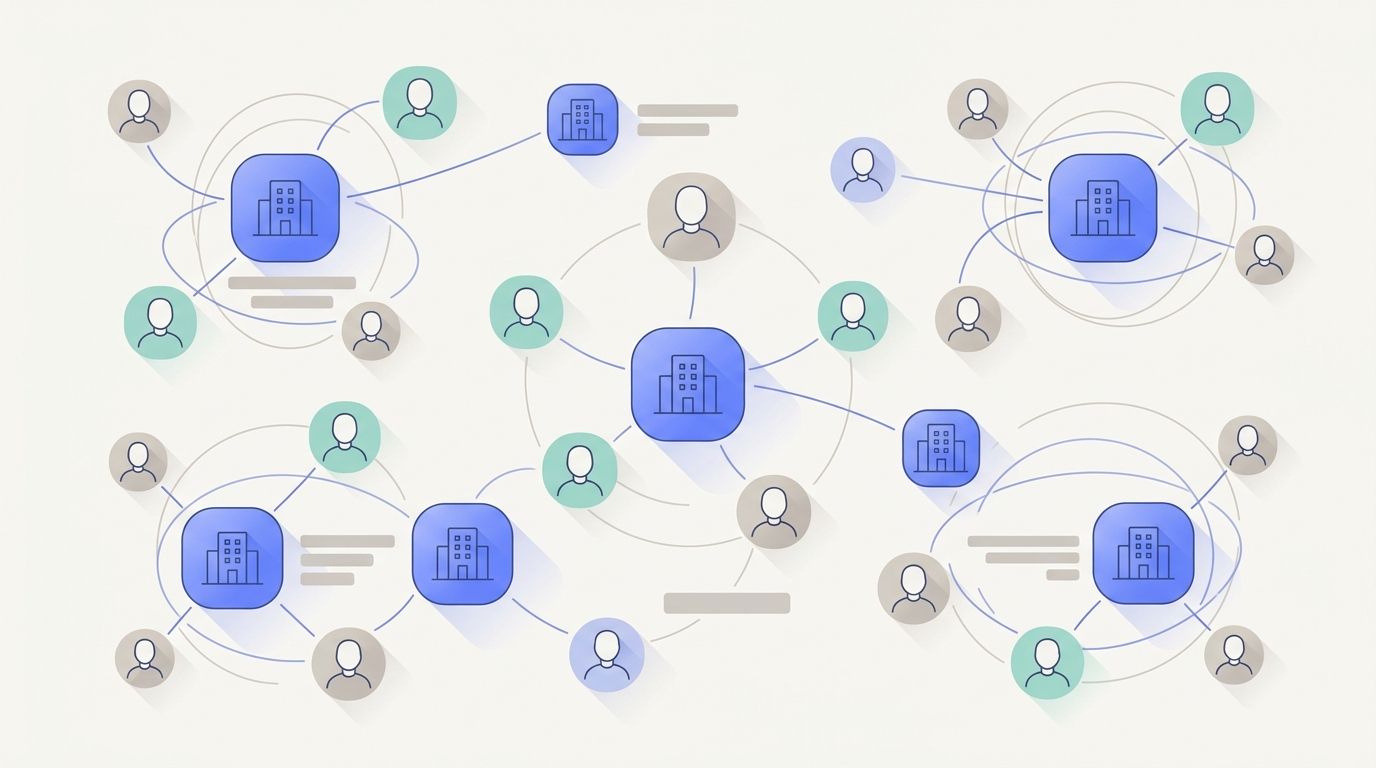
Most tools in this category automate communication between one clinic and its own patients. Cortico does that, and then does two things a single-clinic tool structurally cannot.
It automates work between clinics, not just inside one. Referrals, specialist booking invitations, and shared patient communication cross clinic boundaries. Request to Book exists because the hardest scheduling problem in primary care isn’t a clinic’s own patients: it’s the handoff to the specialist, which is why it removes up to 85% of that scheduling work rather than making the phone calls faster.
It carries a patient record and communication layer that spans clinics. A patient who moves between a family practice, a walk-in, and a specialist keeps one place to see appointments, messages, documents, and results. No point patient-engagement tool spans providers this way, because each one is scoped to the clinic that bought it.
Add the AI automations layer - the task manager and the document triaging inbox - and the platform stops being a messaging tool and starts absorbing the clinic’s clerical load outright. That is the difference between engaging patients and automating the network they move through.
Security and compliance
- SOC 2 Type 2 and ISO 27001 certified
- Compliant with HIPAA, PHIPA, PIPEDA, and PIPA
- Verified under Ontario Health’s Virtual Visits Verification Program, and compliant with the Ontario Health Online Booking Standard
- Reviewed by the Office of the Privacy Commissioner in BC, with recommendations implemented
- TRA and PIA conducted by CIPP/C- and CISSP-certified external reviewers; annual third-party penetration testing and quarterly vulnerability scans, with no high-level unmitigated risks identified
- PHI encrypted in transit with TLS 1.2+; patient messaging uses TLS 1.3
- Patient data is never used for AI training and is never shared with OpenAI
Pricing
Cortico prices per full-time-equivalent provider per month, with a $99 monthly minimum:
| Package | Price / FTE / month | Includes |
|---|---|---|
| Essentials | $86 | Online booking, email and SMS reminders, patient portal, secure messaging, video appointments, pharmacy integration, language translation |
| Premium | $119 | Everything in Essentials, plus custom intake forms, Request to Book, white-label branding, quarterly business reviews |
| Elite | $199 | Everything in Premium, plus AI inbox and task automation, check-in kiosk, generated clinic website |
Add-ons: AI inbox and task automation at $85/FTE/month, kiosk software at $149/month for the first terminal and $50/month for each additional, kiosk iPad hardware at $950, clinic website at $149/month (mini-site $20/month), mass email at $0.0025/message. Bulk and institutional pricing is available. Full detail is on pricing.
Most years prices do not change. When they do, customers get a year’s notice and have historically been grandfathered, and any customer can request a rate lock.
Book a demo and we’ll price your clinic against your provider count and EMR on the call.
