


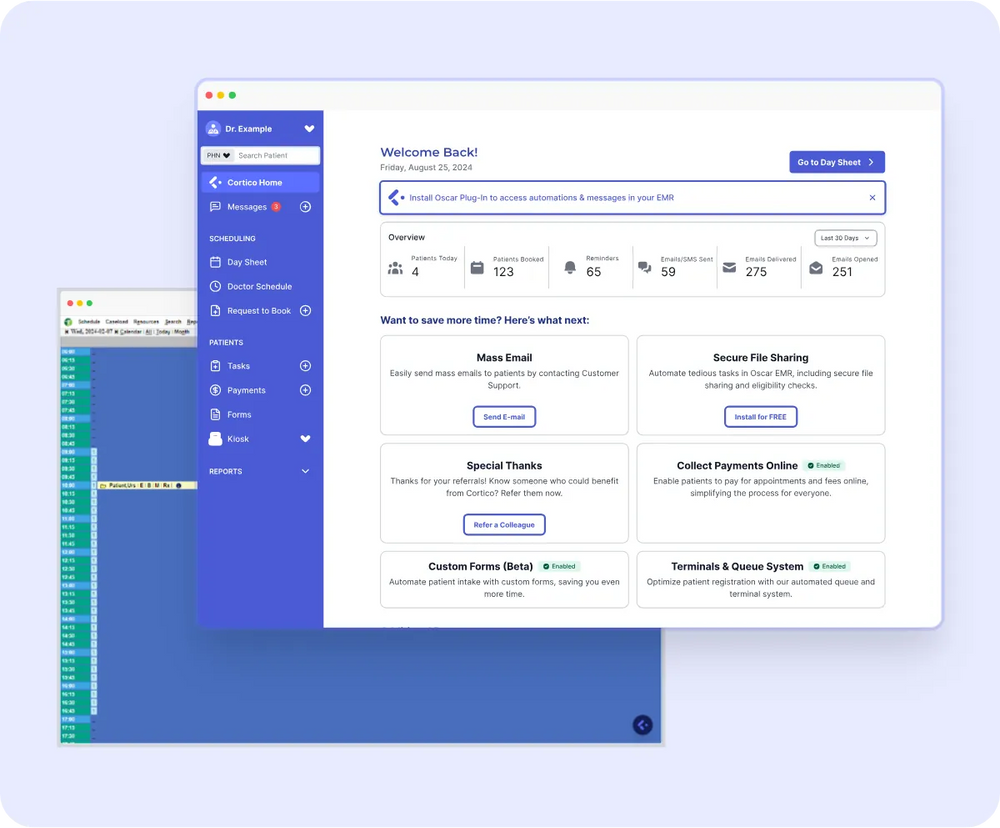
A cornerstone of Canadian primary care, OSCAR EMR is an open-source electronic medical record that clinics trust to run daily operations, from charts and scheduling to billing, prescriptions, and lab results.
Most clinics run the OSCAR EMR system through a hosted variant such as OSCAR Pro, Juno, or OpenOSP. The variant your clinic runs determines its login page, support, and cost, which we cover in detail in the variants section.
If you’re looking for the login page, you can go straight to the OSCAR EMR login guide.
What Is OSCAR EMR?
The OSCAR EMR system is the digital backbone of a primary care practice, managing patient charts, appointment scheduling, billing, prescriptions, lab results, and clinical documentation. The acronym stands for Open Source Clinical Application Resource (sometimes written “…and Resource”).
Unlike closed, proprietary software, OSCAR is distributed under the GNU General Public License (GPL). No single vendor owns the codebase the way one company owns a typical commercial EMR. Instead, a broader ecosystem of service providers hosts, maintains, and extends the software for clinics.
Note: The OSCAR name itself is a registered trademark of McMaster University, though commercial distributions built on the shared open-source code operate independently.
Technically, OSCAR is a web-based Java application backed by a MySQL/MariaDB database. Because it runs on a central server and is accessed entirely via a web browser URL, clinics don’t need to install local desktop software on individual workstations, and a service provider typically handles all backend server infrastructure.
If you are new to electronic records in general, our guide to what an EMR is in medical terms is a good companion read, along with the difference between an EMR and an EHR.
Where OSCAR EMR Came From
Dr. David Chan and McMaster University’s Department of Family Medicine created OSCAR in 2001 as a browser-based, open-source EMR. McMaster makes the original project available under GPL Version 2+. That history explains why the clinic’s hosting or support provider matters as much as the code.
| Year | What happened | What it means for your clinic |
|---|---|---|
| 2001 | McMaster’s Department of Family Medicine creates OSCAR and releases the original project under GPL v2+. | The original code has no license fee and no single commercial owner. |
| 2000s-2010s | Independent service providers grow branches around the shared codebase. | The clinic’s provider determines its installation, support and upgrade experience. |
| 2012 | A SourceForge developer-list release summary records next-open-slot search, signed prescriptions for faxing, eForm database tags, Ontario billing, OLIS queries and Hospital Report Manager receiving. | The project’s recorded feature history includes scheduling, eForms, billing and provincial information systems. |
| 2020 | OSCAR Pro says WELLSTAR acquired KAI Innovations and created its commercial offering. | “OSCAR” can describe the open-source project or a commercial managed offering. Confirm which one a quote covers. |
| Today | McMaster keeps the code repository available and directs deployed-clinic users to their supporting organization. OSCAR Pro says it serves 2,000+ clinics and 10,000+ providers. | Open-source code still needs a support path. The OSCAR Pro count is its marketing claim, not a count for all OSCAR installations. |
OSCAR is an ecosystem, not one uniform hosted product. Clinics should ask who hosts their instance, which branch they run, and who owns the upgrade plan.
OSCAR Is Not One Single Product: The Variants Explained
This is the part that confuses most people new to OSCAR. Because the software is open-source, multiple organizations have built their own hosted, supported versions of it. When clinic staff say “we use OSCAR,” they could mean any of several related-but-distinct systems:
- OSCAR Pro. The commercially supported, WELL-Health-backed hosted version of OSCAR, sold as OSCAR Pro EMR; the largest-by-clinic-count variant in Canada. See the OSCAR Pro section below and the OSCAR Pro guide.
- Juno EMR. A modernized, cloud-hosted EMR that evolved from the OSCAR codebase, with a refreshed interface and its own hosting and support.
- Avaros. Another OSCAR-derived hosted EMR offering, with its own login and provider support.
- OpenOSP. An open-source-oriented OSCAR hosting option run as a member-owned cooperative, often chosen by clinics or groups that want a community-supported deployment.
- Self-hosted / community OSCAR. Some clinics, health authorities, or academic groups run their own OSCAR installation directly, typically from the Open-O open-source distribution.
These variants share a common OSCAR lineage, so the core concepts (the scheduler, the eChart, billing, ticklers, eForms) are broadly familiar across them. But hosting, pricing, support contacts, and the exact interface differ. For a side-by-side reference and EMR-match notes, you can go to the Cortico EMR compatibility guide.
OSCAR Pro — the WELL-branded commercial variant
OSCAR Pro is the most widely deployed commercial variant of OSCAR in Canada. WELL Health runs the hosting, updates, support contracts, and onboarding, so clinics get the familiar OSCAR scheduler, eChart, and billing module, backed by a vendor relationship and a service agreement.
The OSCAR Pro EMR login is per clinic, where each clinic gets its own URL from the OSCAR Pro helpdesk. Integrations and pricing also run through OSCAR Pro, and the OSCAR Pro guide covers each in detail.
Who Uses OSCAR EMR in Canada?
OSCAR and its variants are widely used in Canadian primary care, from family practices and community clinics to walk-in clinics, and in academic and teaching settings across several Canadian medical schools. Its community and service-provider ecosystem is most developed in Ontario and British Columbia.
Precise national user counts are hard to pin down because the open-source software can be self-installed without central registration, but thousands of clinicians across Canada use OSCAR. It’s most commonly chosen by independent and small-to-mid-size clinics that value an established, clinician-built system and the flexibility of an open ecosystem, rather than a single locked-in vendor relationship.
OSCAR EMR: Strengths and Limitations
No EMR is perfect for every clinic. Here’s a fair summary of OSCAR’s strengths and trade-offs:
Strengths
- Open-source and established. Decades of use in Canadian family medicine and a large user community.
- Built for Canadian primary care. Provincial billing and family-practice workflows are first-class, not afterthoughts.
- An ecosystem, not a monopoly. Multiple service providers mean clinics can choose a hosting and support arrangement that fits, and switch providers without changing EMR families entirely.
- Extensible. A rich library of eForms and a long history of third-party integrations.
Limitations
- The variant landscape is confusing. New staff often struggle to work out which OSCAR they are actually on, and support contacts differ by provider.
- The interface can feel dated. Depending on the variant and version, the user experience may lag behind newer commercial EMRs.
- Support quality depends on your provider. Because OSCAR is open-source, your day-to-day support experience is set by the service provider you choose, not by “OSCAR” itself.
- Onboarding takes effort. OSCAR is deep, and new clinics should budget real time for training.
If you’re still comparing systems, our guide on How to choose an EMR in Canada covers the wider decision.
Getting Started with OSCAR EMR
This walkthrough covers daily basics for new clinic staff: logging in, scheduling, opening charts, billing, prescriptions, ticklers, and eForms. It serves as a foundational guide, not a replacement for full training.
Because clinics use different variants such as OSCAR Pro, Juno, Avaros, OpenOSP, or a self-hosted instance, exact menu names and layouts may vary slightly. The steps below focus on core workflows common to all versions.
Logging in
The OSCAR EMR login page depends on your clinic’s variant and provider, so there is no single address to bookmark for everyone. Ask your clinic manager or your provider’s helpdesk for your clinic’s URL, then bookmark it. The OSCAR EMR login guide has the links and first-login steps for Juno, Avaros, OSCAR Pro, and OpenOSP. Once you’re in, you’ll usually land on the main scheduler.
The appointment scheduler
The scheduler is where most clinic staff spend their day. It typically shows a day or week view, with columns for each provider and time slots down the side.
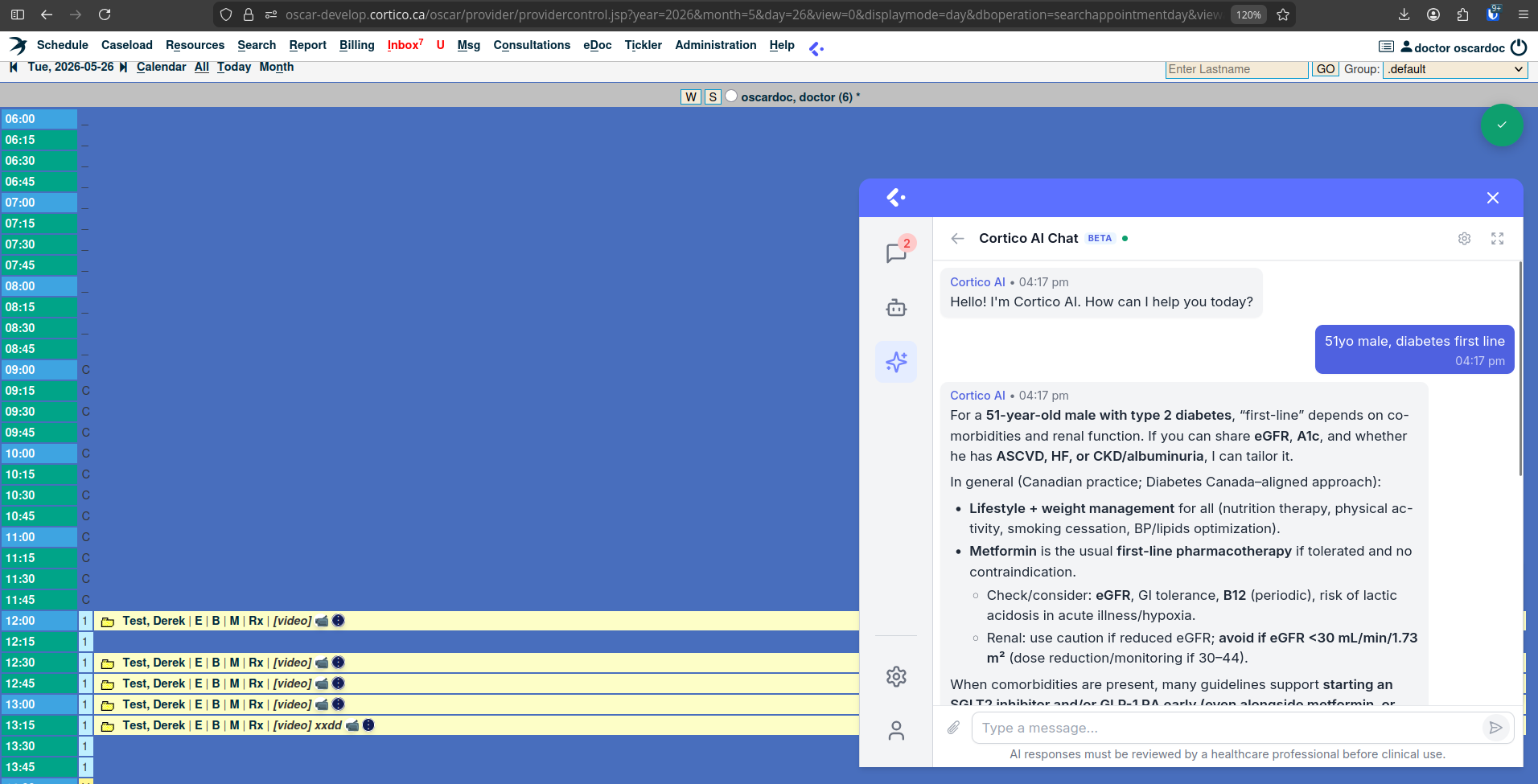
Core tasks on the scheduler:
- Book an appointment — click an open time slot, search for the patient, select the appointment type and reason, and save. If the patient is not in the system yet, you will create their record first.
- Find a patient’s appointment — use the search function rather than scrolling.
- Change or cancel — open an existing appointment to reschedule or cancel it; record cancellations properly so reporting stays accurate.
- Appointment status — OSCAR uses status indicators to show where a patient is in their visit (for example, booked, arrived, being seen, billed). Learn your clinic’s status conventions early — they keep the whole team coordinated.
A practical tip: most clinics establish their own color and appointment-type conventions. Ask a colleague to walk you through your clinic’s specific setup on day one.
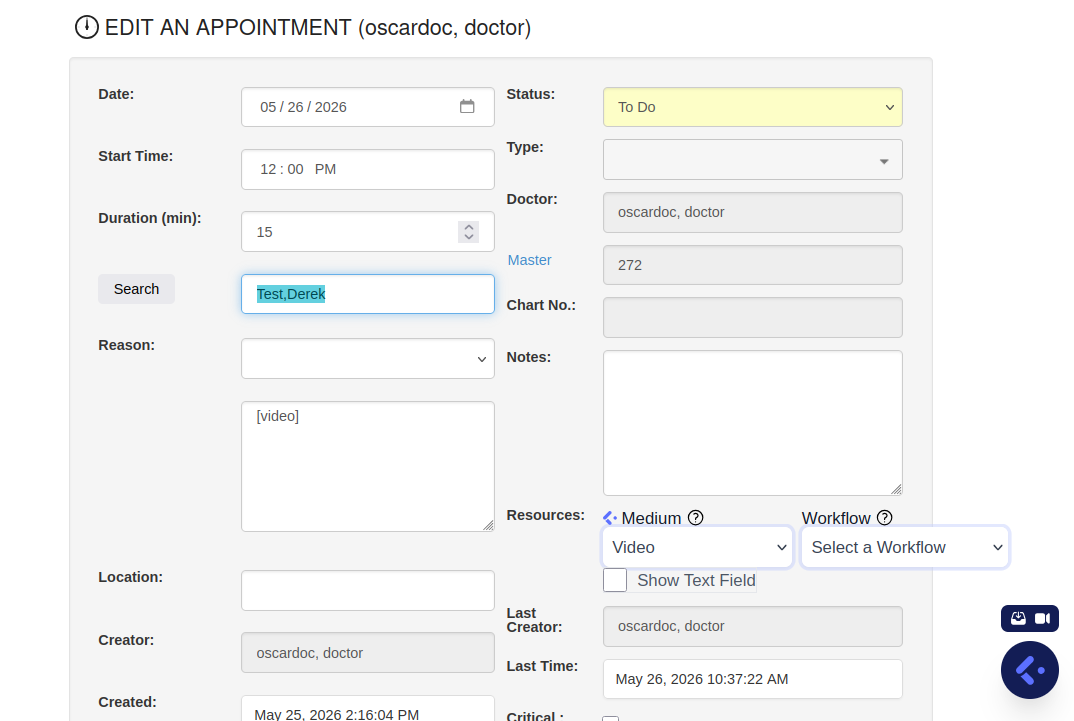
The demographic record, eChart, and daily tools
When a new patient comes to the clinic, you create their demographic record — the master file holding their name, date of birth, health card number, contact details, and provider assignment. Accuracy here matters more than speed: the health card number drives billing, and a wrong digit causes rejected claims later. Once the demographic exists, the patient can be booked and given a chart.
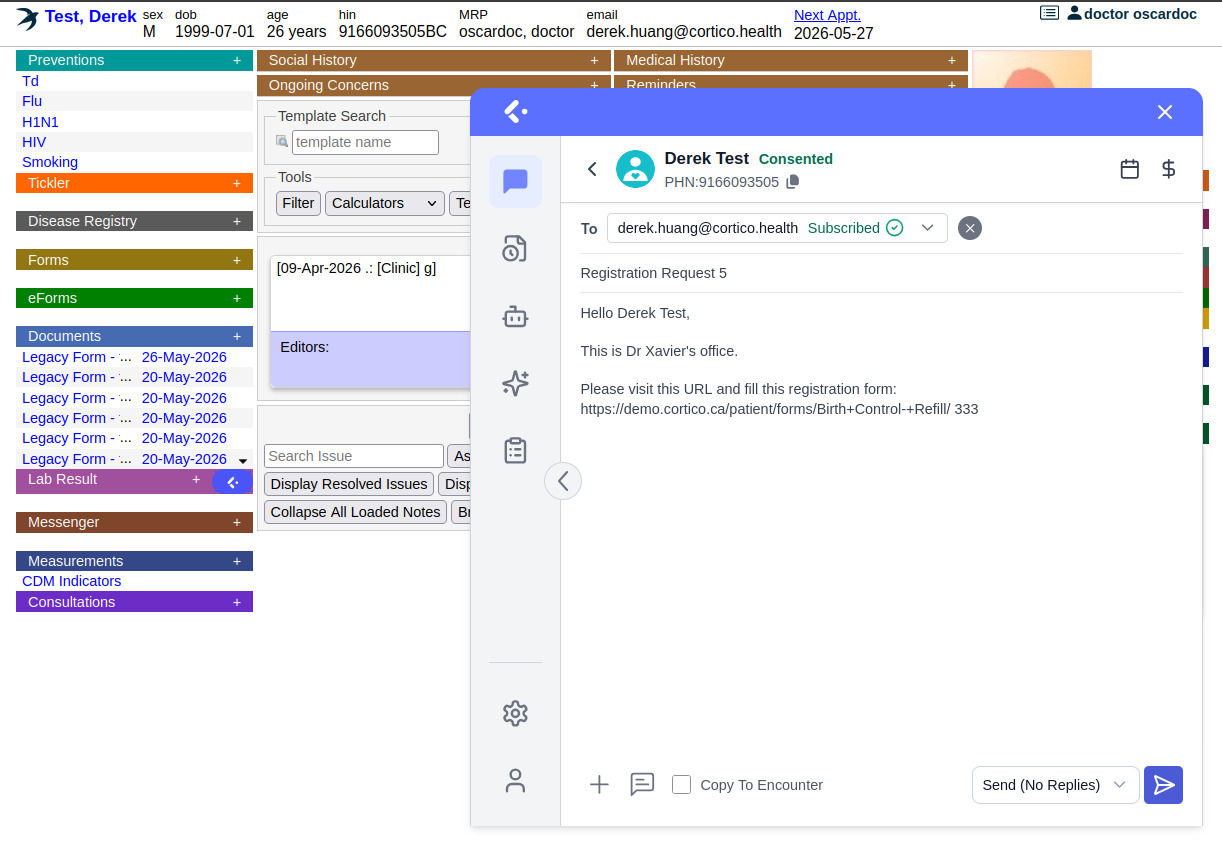
The eChart (electronic chart) is the clinical heart of OSCAR: encounter notes, medications, allergies, medical history, preventions, incoming documents, and OSCAR laboratory results all live there. Encounter notes are dated and attributed to the author; allergies are recorded prominently for safety; preventions track screening and immunizations. Front-desk staff and MOAs typically have read access to parts of the chart and edit access to others, depending on role and clinic permissions.
Four other daily tools worth learning early:
- Billing. OSCAR’s billing module is province-specific. The fee codes and claim-submission process for Ontario differ from BC, and so on. As a new staff member you do not need to master billing on day one, but you should understand the link: an appointment is seen, a billing code is attached, and a claim goes out.
- Prescriptions. Managed inside the eChart. A provider opens the prescription module, adds or renews a medication, and prints or transmits the prescription. The medication appears on the patient’s medication list for future reference and renewals. Renewals are a common daily task.
- Ticklers. OSCAR’s built-in task and reminder tool — a to-do item attached to a patient (“follow up on lab result,” “recall for annual check”), assignable to a staff member with a due date. Check your tickler list daily; it is often where your work for the day is queued.
- eForms. Electronic forms such as referrals, intake, assessment forms. OSCAR has a large eForms ecosystem; learn the handful your role uses most, and learn how to search for the rest.
A few practical tips: use search rather than scrolling, learn your clinic’s appointment type and status conventions early, and when in doubt don’t guess in the chart — an EMR is a legal medical record. For deeper learning, see the best OSCAR EMR training resources.
Extending OSCAR EMR: Booking, Telehealth, Automation, and Payments
OSCAR keeps the chart in order, but on its own it doesn’t handle the patient-facing and front-desk work around it. Most OSCAR clinics add that work through an integration layer on top of the EMR. The test for any layer is whether its work lands in OSCAR without staff keying it in again.
Online booking. A booking widget that sends requests for staff to re-enter moves the friction rather than removing it. The familiar pattern is a clinic that launches online booking, captures the easy 30% of bookings, and finds the phones just as busy. A booking layer that honors the appointment types, durations, and provider rules set in OSCAR can take the harder cases.
Telehealth. Running video visits in a separate app splits each visit between two systems and puts visit data outside the EMR. Starting the call from the patient’s OSCAR encounter keeps the chart open beside the call and the documentation in one place.
Automation and payments. Fax triage, follow-ups, recalls, private-pay invoices, and no-show fees are where much of an OSCAR clinic’s staff time goes. For many primary care clinics, private-pay leakage and unenforced no-show policies are the single largest fixable revenue gap.
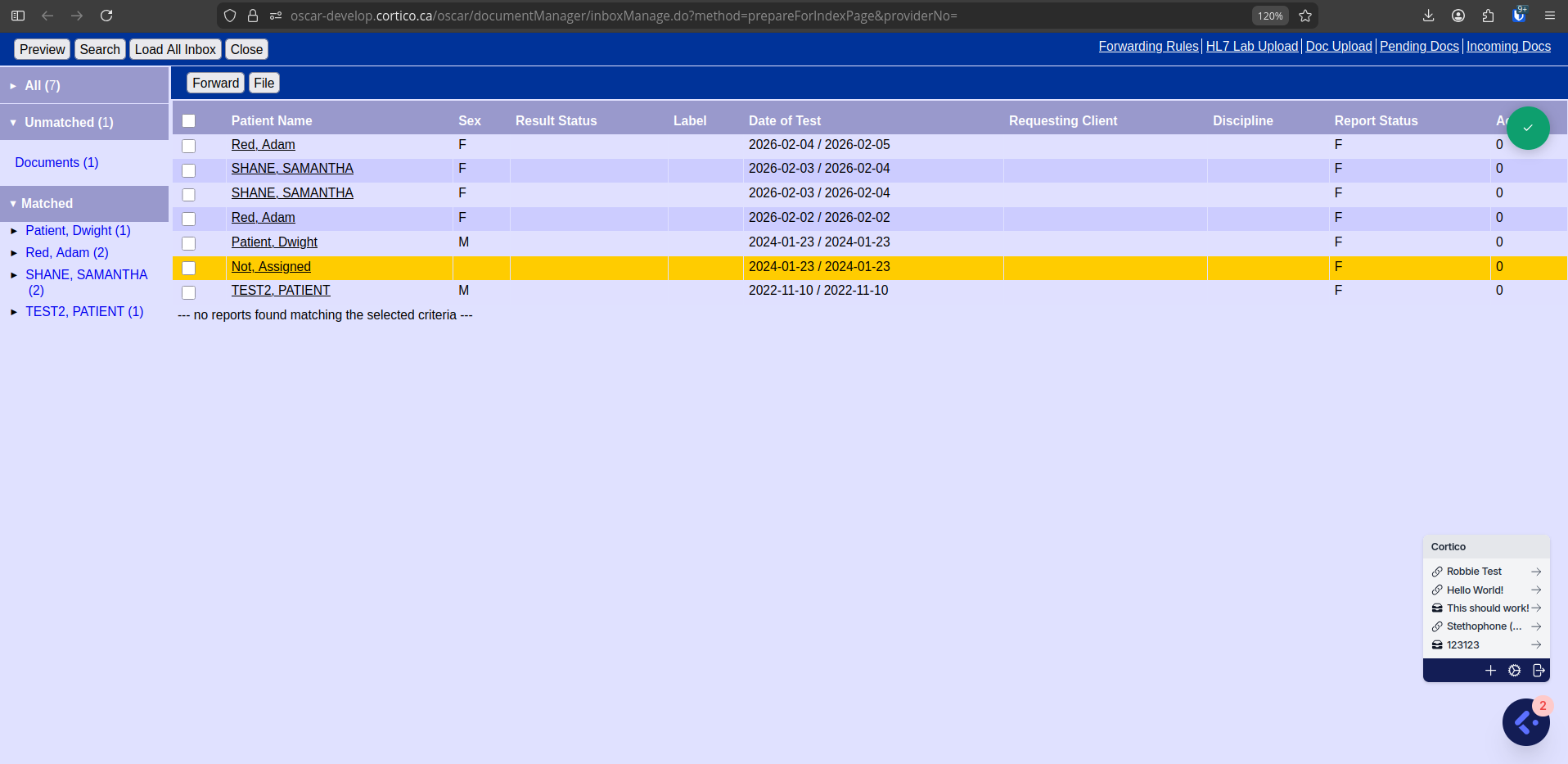
Cortico adds all four on top of OSCAR, and this EMR demo video shows its plug-in at work inside an OSCAR setup.
See how Cortico works with OSCAR EMR
Cost, Training, Login, and API — Quick Pointers
These four topics each have a full dedicated guide; this section is the high-level pointer.
Cost. OSCAR EMR has no single price tag, because what clinics pay for is not the software license but the services around it — hosting, support, setup, migration, training, support tier, and add-ons. The cheapest monthly headline is rarely the cheapest system once setup, migration, support, and add-ons are included. Budget by total cost of ownership over 3–5 years, get itemized written quotes, and confirm whether each provider bills per-provider or per-clinic. Full breakdown in OSCAR EMR cost: how pricing really works.
Training. Most clinic staff can handle day-to-day OSCAR tasks within a few days of hands-on use, with billing, eForms, and ticklers usually settling in a few weeks. There is no single official manual because of the variant landscape, but the OSCAR Canada User Society manual, the World OSCAR knowledge base, OSCAR-BC training PDFs, and Adrian S.’s OSCAR training course at emrtraining.org are widely used. You may also check the full roundup in OSCAR EMR training: best resources.
Login. There is no single universal OSCAR login page — the URL depends on your variant. Juno and Avaros each have a public login page; OSCAR Pro and OpenOSP issue per-clinic URLs through their helpdesks. The shortcut links are in OSCAR EMR login: find your clinic’s login page.
API & integration. OSCAR’s REST/web-services layer (under /ws/) covers most of the clinical record (scheduling, demographics, billing, prescriptions, documents, ticklers, labs, eForms) and authorizes external clients via OAuth. The exact API surface, authorization steps, and enablement path depend on your OSCAR variant and service provider. For the full walkthrough including a worked OAuth-handshake example, the read/write demographic flow, and the questions to ask any integration vendor, please check OSCAR EMR API and integration: a guide for clinics. For the broader compatibility view across EMRs, see the Cortico EMR integration help page.
How Cortico Fits with OSCAR
OSCAR EMR gives a clinic a capable clinical record. What OSCAR doesn’t do on its own is the patient-facing work: online booking, reminders, digital intake, secure messaging, and virtual visits.
Cortico takes that work off your front desk through Cortico’s OSCAR EMR integration. Patients book online against your OSCAR schedule, get reminders automatically, complete intake forms before the visit, and message the clinic securely, with everything syncing directly to the EMR. Cortico runs on top of OSCAR, OSCAR Pro, and Juno, outside OSCAR’s critical path, so charting, prescribing, and billing carry on in OSCAR as they do today.
Book a demo for your OSCAR clinic